Circle anything on the board and ask AI
Draw a rectangle round anything on Circin Canvas — handwriting, a diagram, part of a simulation — and get an explained, sourced answer beside it.
Updated
Teacher
Anything visible on the board can be asked about: a student's working, a figure inside a PDF, a corner of a running simulation. You draw a rectangle round it and the answer streams in beside it, with the sources it used when it used any.
How do I ask about something on the board?
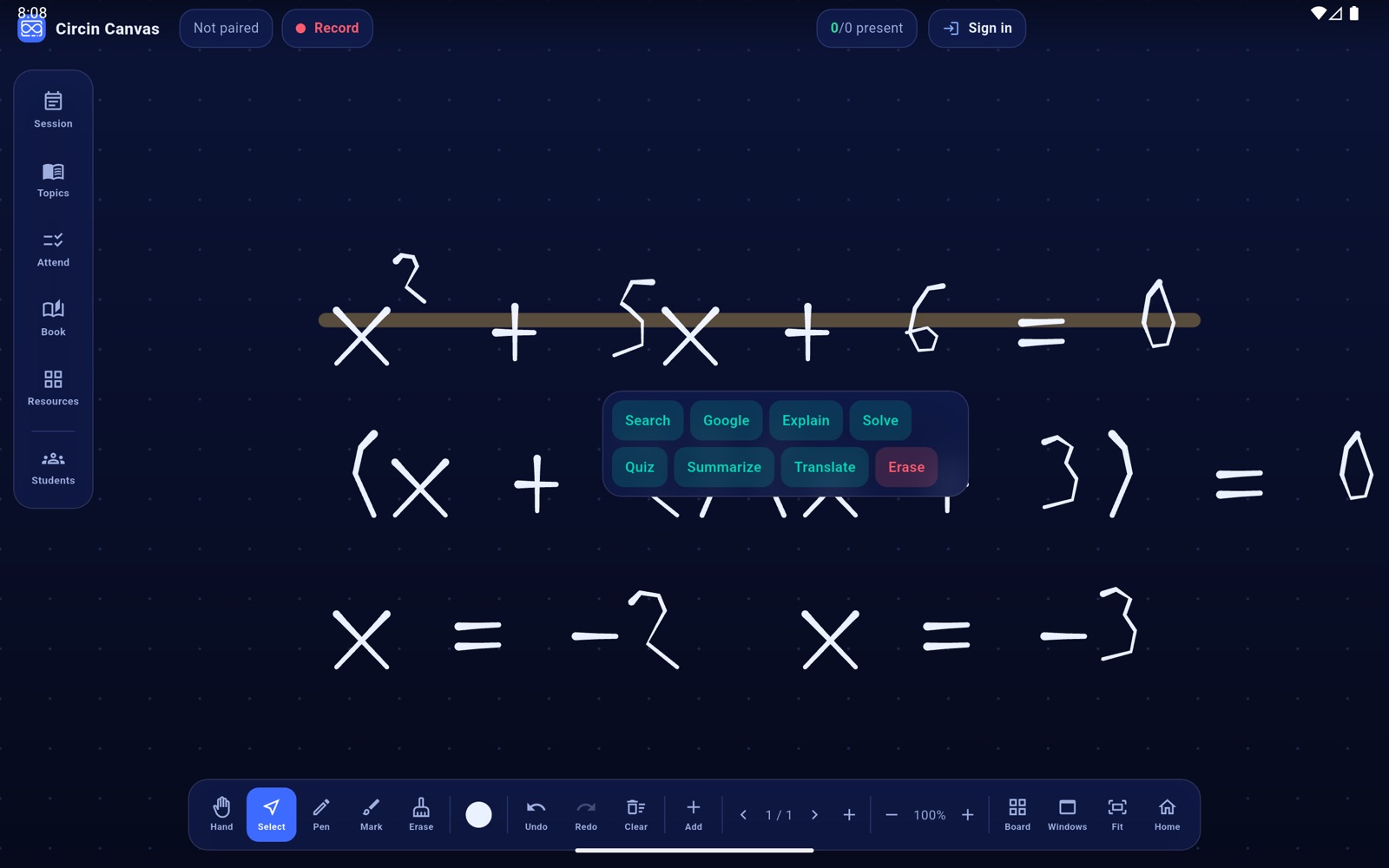
- Tap Select in the bottom dock and drag a rectangle round what you want.
- A menu appears just below the selection: Search, Google, Explain, Solve, Quiz, Summarize, Translate and Erase.
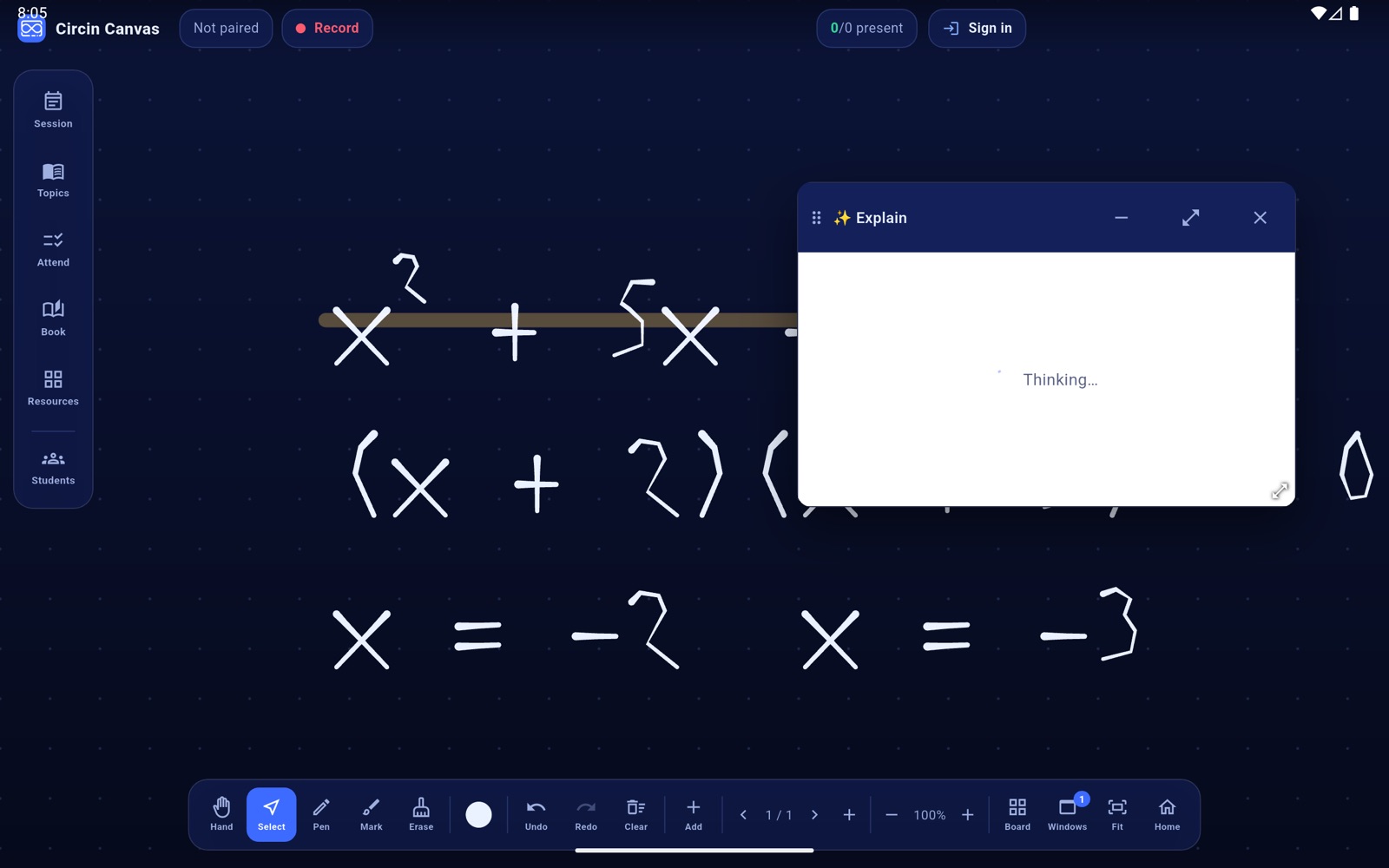
- Tap a verb. An answer card titled with that verb appears under the selection, showing Thinking…
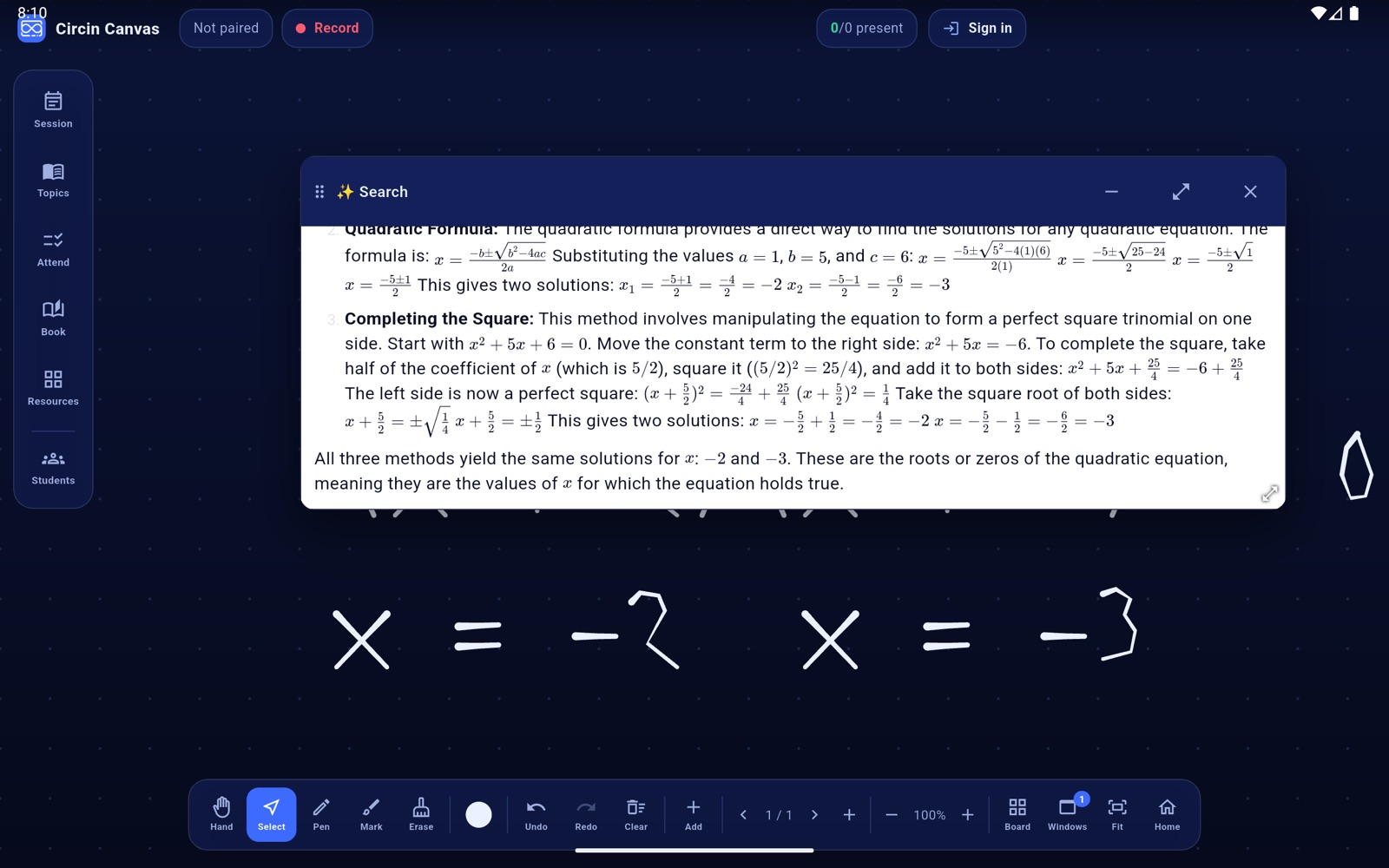
- The answer streams in word by word, with maths typeset properly. When the answer was built from the web it ends with a SOURCES row of chips; an answer the model could give on its own has no such row.
- Tap a source chip to open that page as a web card beside the answer.
- Tap anywhere outside the menu to dismiss it without asking anything.
Rules and gotchas
- What gets sent is a picture of that region of the screen, plus a best-effort reading of any handwriting in it. That is why a diagram inside a PDF or a state of a simulation works as well as text does.
- The answer card behaves like any other card: drag it, resize it, minimise it, close it.
- This needs the network. There is no offline answer.
- Failures name the cause and offer Retry, which re-runs exactly the same request: The answer took too long — tap Retry., AI is busy — wait a few seconds and tap Retry., No connection — check the network and tap Retry., and Session expired — sign out and pair again.
- Handwriting recognition needs Google Play services. On a panel without them the picture still goes and the answer still comes; only the text hint is skipped.
- Erase in that same menu is local and instant — it is the area eraser, not an AI verb. See Write on the Circin Canvas board.
Google is the one verb that does not produce an answer card. It opens Google's own page instead — see Search a circled region in Google AI Mode.