The class roster and student boards on Circin Canvas
See your real roster on the side of the Circin Canvas board, and give each student their own labelled space to work in on the canvas.
Updated
Teacher
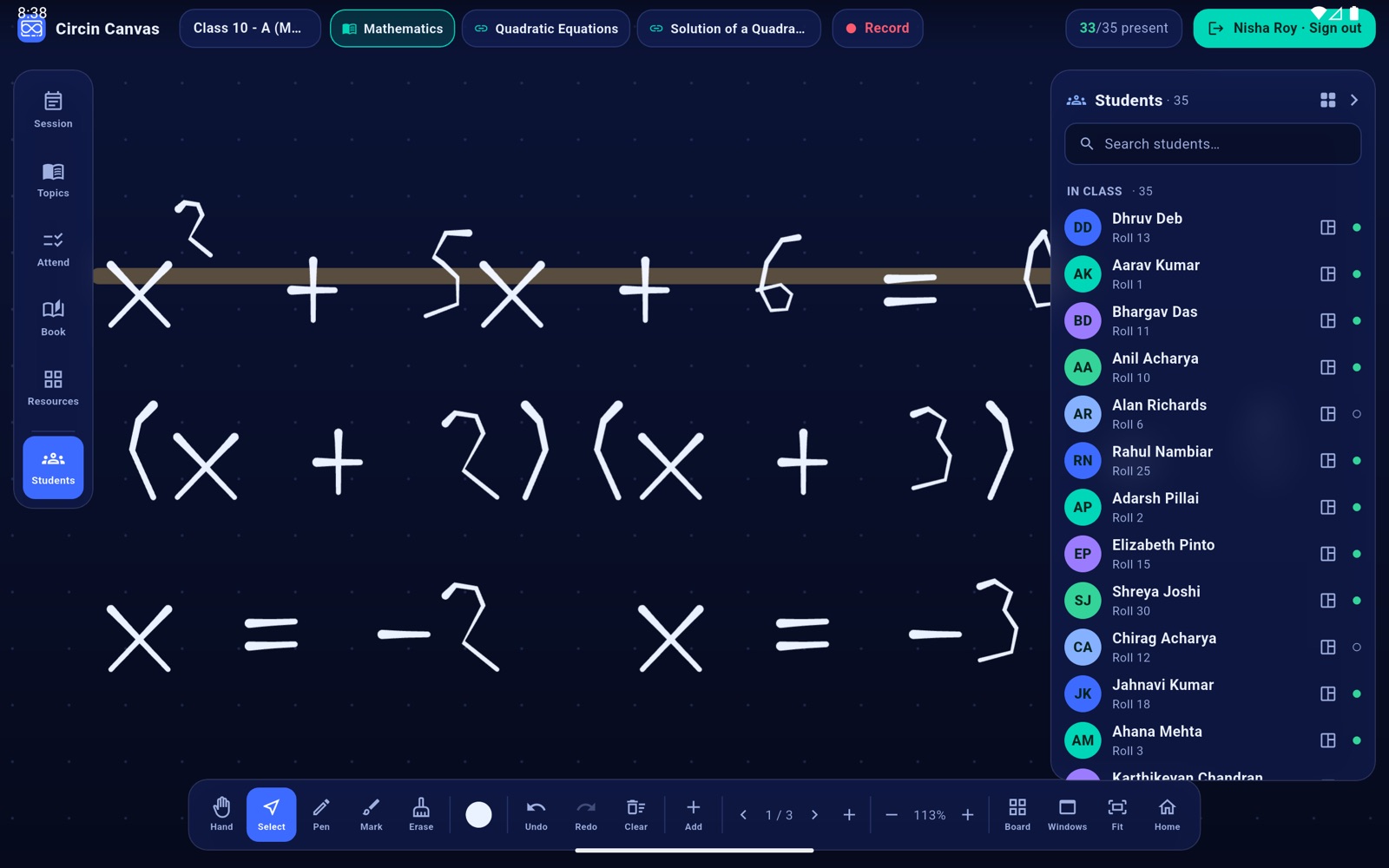
The panel on the right of the board is your real roster for the paired section. From it you can hand a student their own labelled space on the canvas, so several can work at the board at once and everybody can see whose working is whose.
How do I show or hide the roster?
- Tap Students on the left rail to show or hide the right-hand panel.
- The header reads Students with the count. Each row shows the student's initials, their name, Roll and their number, and a small green dot when they are marked present today.
- Tap Students again, or the › chevron in the panel header, to collapse it and win back 300 pixels of board.
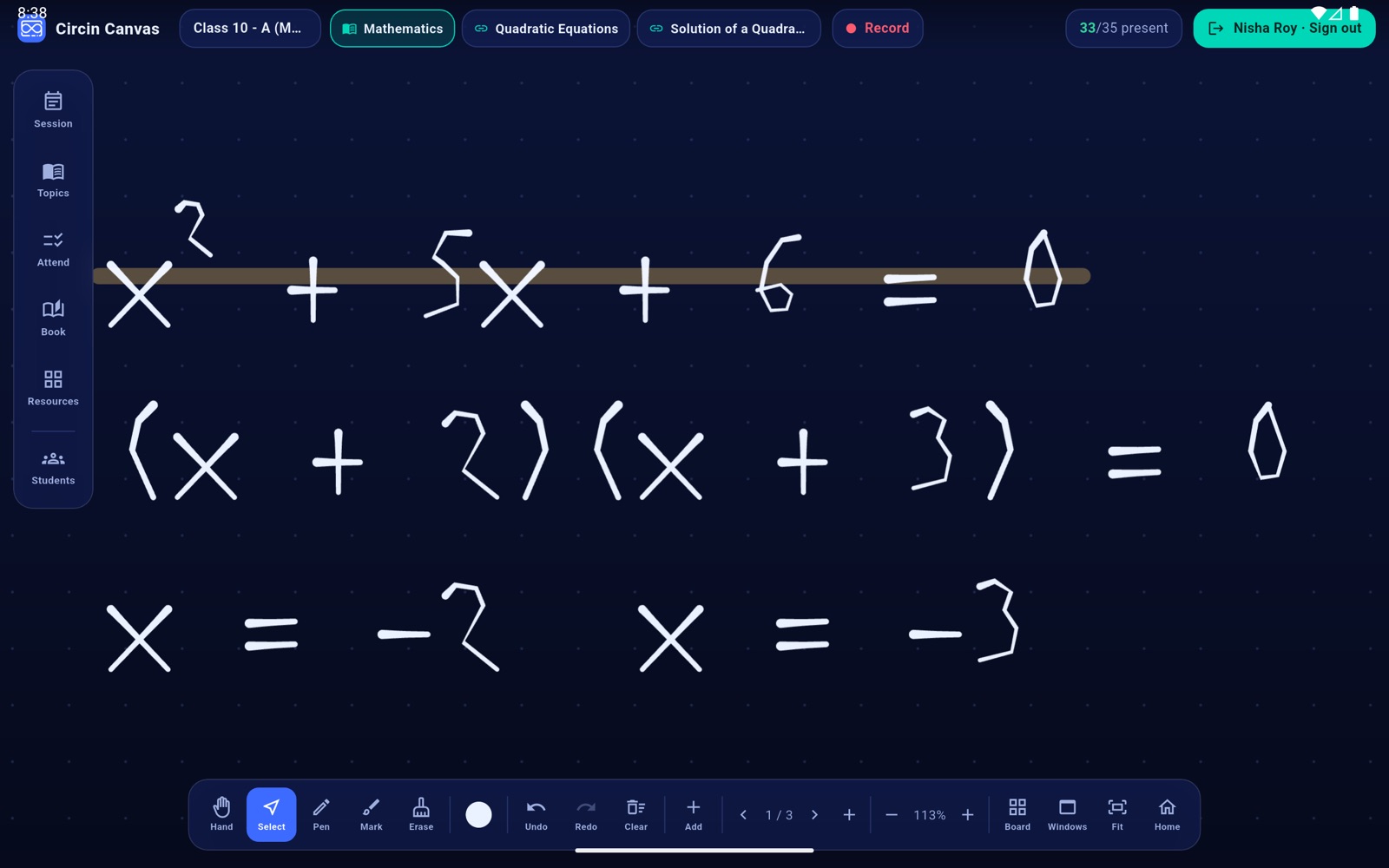
How do I give a student their own space?
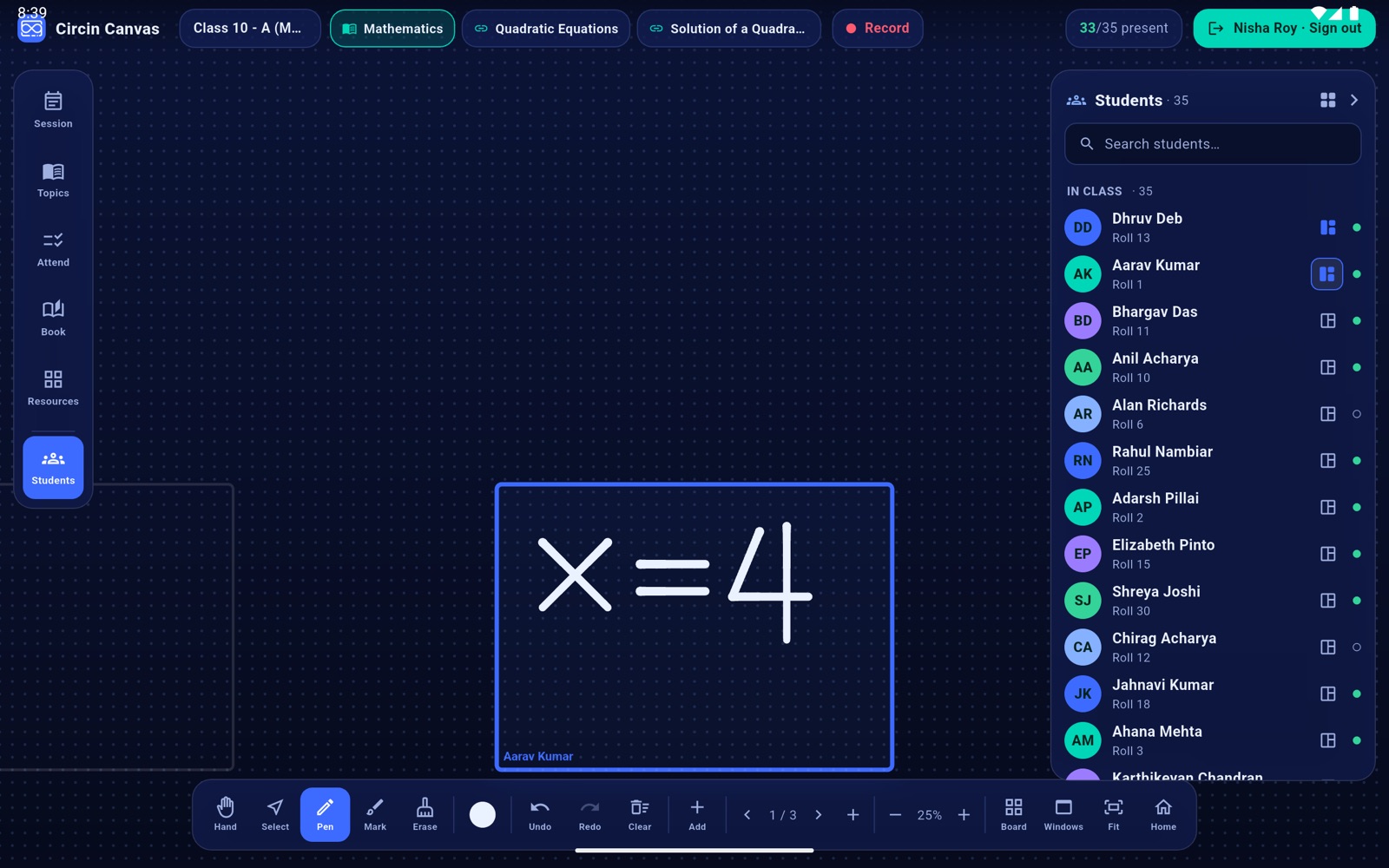
- In the Students panel, tap the small board icon on a student's row.
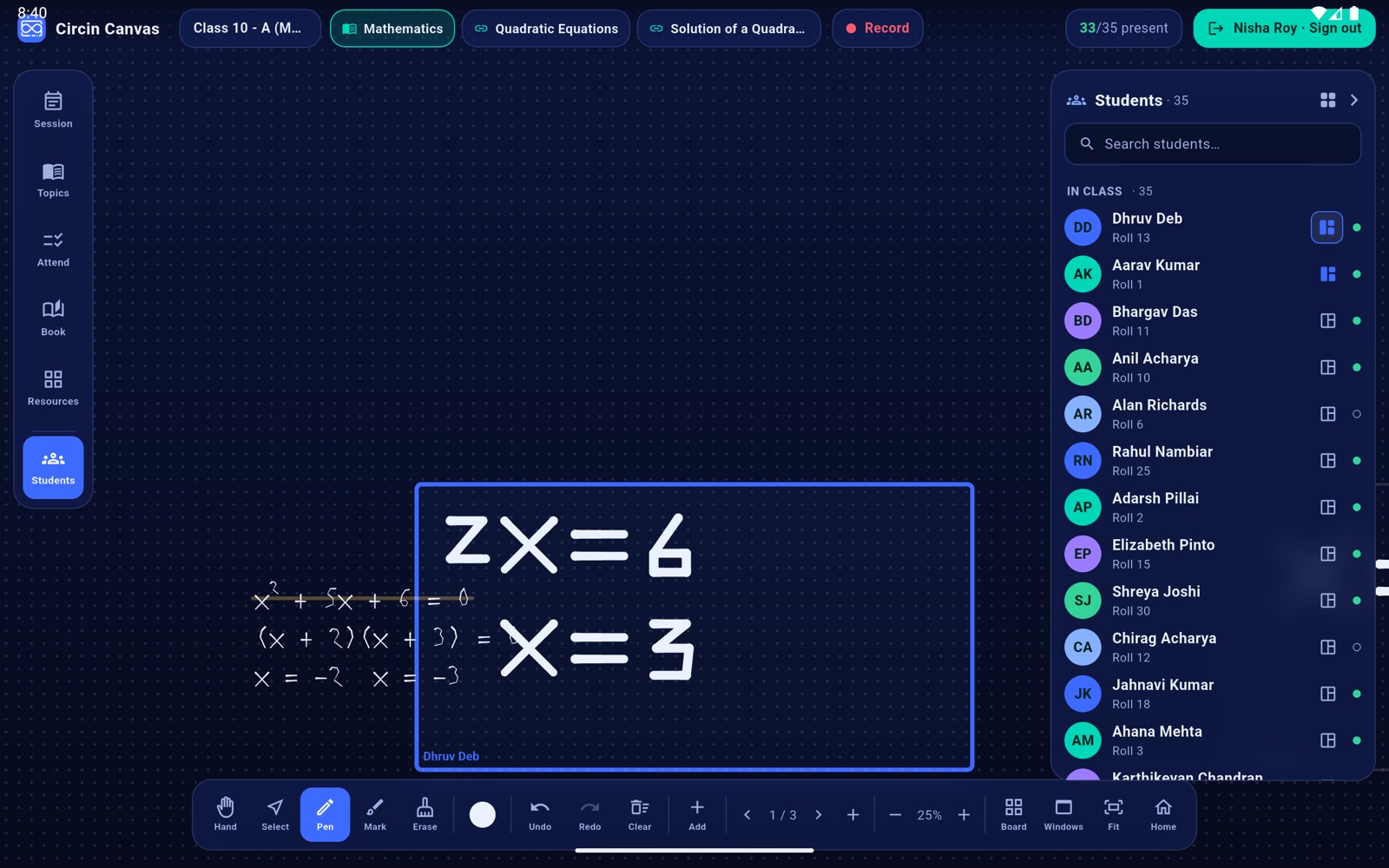
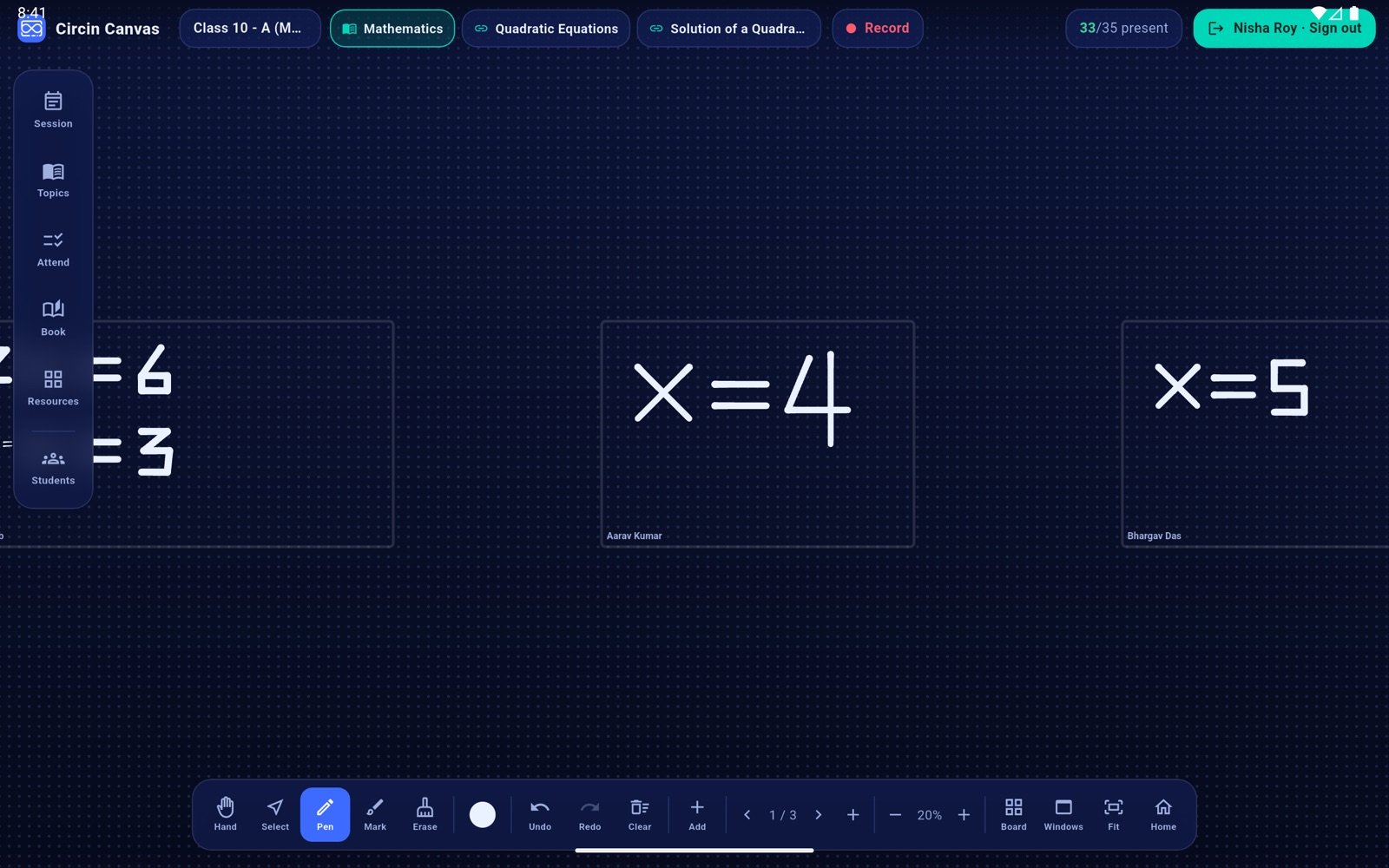
- The board flies to that student's own space on the canvas and draws a labelled frame round it with their name. The icon fills in to show the space exists, and gains a ring while it is the one on screen.
- The student writes there with the normal pen. Their frame grows to fit whatever they draw.
- Tap another student's icon to hand the board on. A new space opens to the right.
- Tap the grid icon in the Students header to pull back and see every student's space side by side for comparison.
Rules and gotchas
- The spaces are labelled, not fenced. Ink is never clipped at the frame — the frame follows the writing.
- A space is framed in the lower, reachable band of the panel rather than dead centre, because the top of a large panel is out of arm's reach for most students.
- Tapping an icon that is already filled only flies back to that space. It never removes it.
- With none open yet: No student boards yet — tap a student's board icon.
- These spaces live on the panel only: nothing is saved to the backend, and signing out clears them all.
- The Search students… label at the top of the roster is not a working search box, and the raised-hands group is not populated — the board has no live participation feed yet. Scroll the list to find a student.