Use the timer, dice and name picker on Circin Canvas
Open the floating classroom tools on Circin Canvas — a countdown timer, a dice roll and a random name picker drawn from your live roster.
Updated
Teacher
Three small classroom props live in one floating panel: a countdown timer for a task, a dice roll, and a name picker that draws from the roster of the class you are actually teaching.
How do I open the classroom tools?
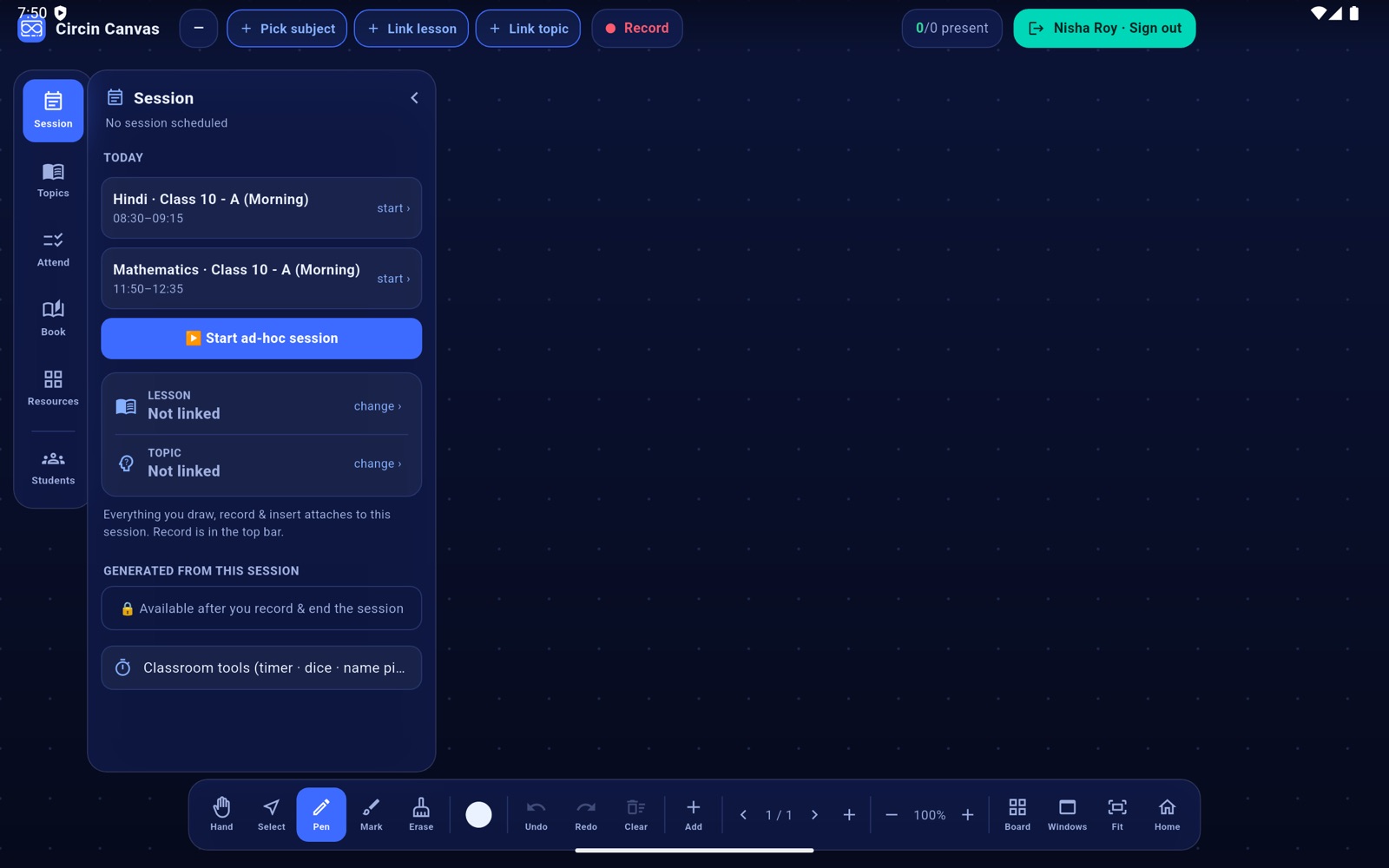
- Tap Session on the left rail and tap the bottom row, Classroom tools (timer · dice · name picker).
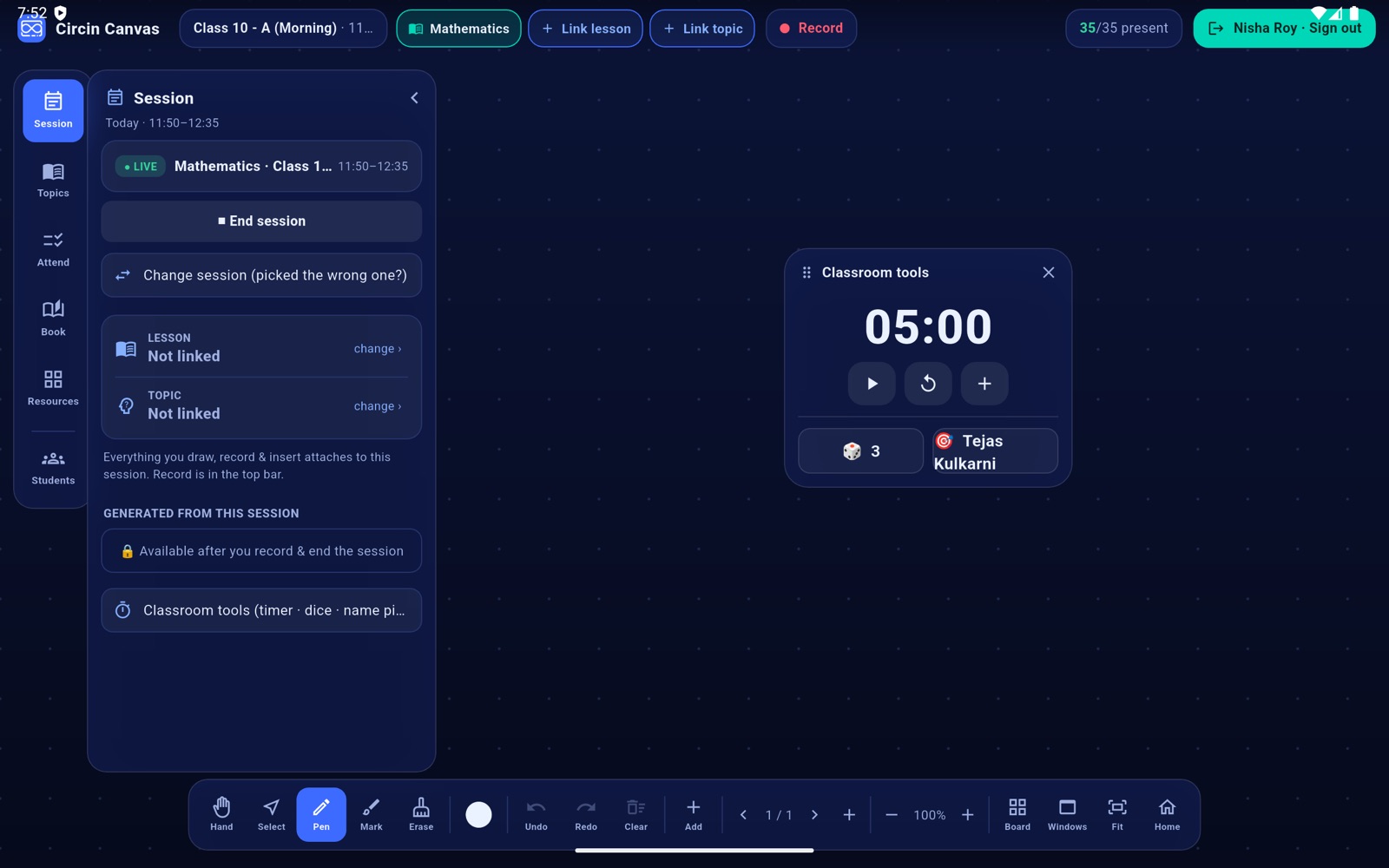
- A small panel titled Classroom tools appears over the board. Drag it anywhere by the grip in its header.
- The timer starts at 05:00. ▶ starts and pauses it, ↺ resets it to five minutes, and + adds a minute.
- Tap the 🎲 pill for a roll of one to six.
- Tap the 🎯 pill to pick a random student from the roster.
- Close the panel with the ✕ in its header.
Rules and gotchas
- All three run on the panel and record nothing. None of it reaches the session.
- The timer counts down only, from a fixed five minutes. There is no custom duration and no alarm sound — it stops at 00:00 on screen.
- The name picker uses the live roster, so with no class paired it shows a dash. It can draw the same name twice in a row; it does not take names out of the pool.
- The panel floats over the canvas and does not freeze it, so you can carry on writing underneath while the timer runs.