Submit an assignment in Circin
Read an assignment in Circin, upload photos or files from your phone, submit them, and find your teacher's remarks and points afterwards.
Updated
Student
Handing work in is one sheet: add your photos or files, then submit. Circin warns you first, because a submission cannot be changed once your teacher has it.
How do I hand my work in?
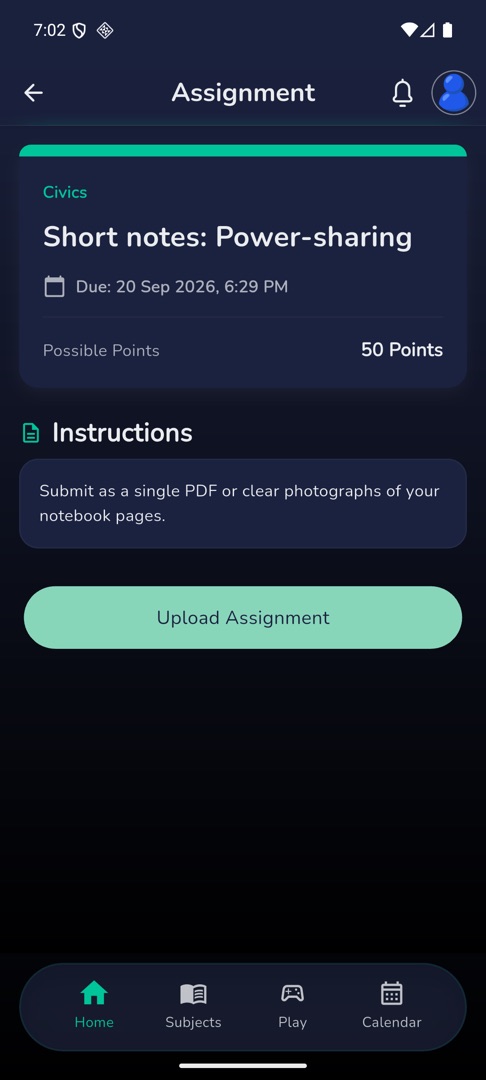
- Open Assignments and tap the assignment. The header shows the subject, the status badge, the title,
Due: {date-time}and, where it carries marks, Possible Points. - Read Instructions, and download anything under Reference materials.
- Tap Upload Assignment at the bottom. The "Upload Files" sheet opens.
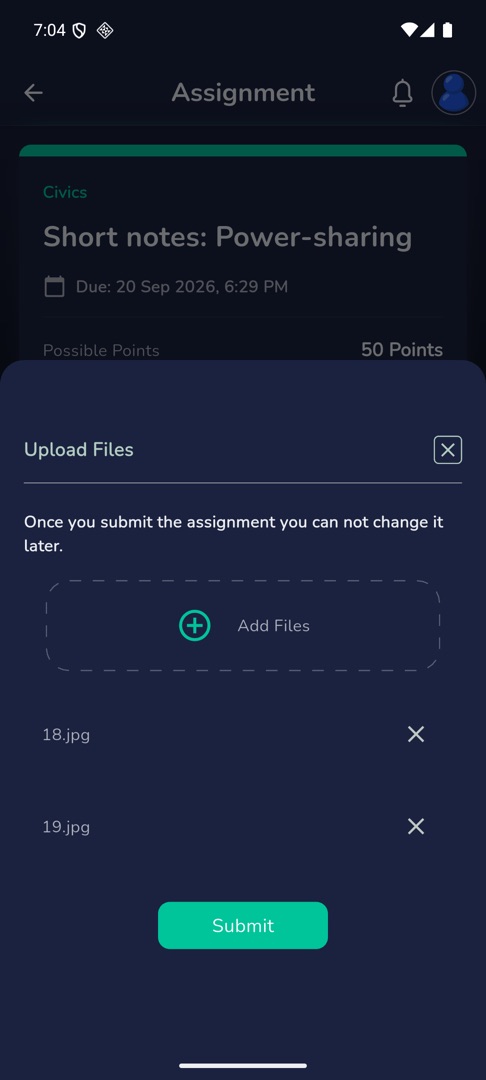
- Tap the dashed Add Files area and choose Camera, Gallery or Browse Files. Each file you pick is listed with an × to remove it.
- Once a file is added the sheet warns: "Once you submit the assignment you can not change it later."
- Tap Submit. The button counts up as
Submitting... ({n})%, then the sheet closes and the assignment shows as submitted.
Where do I see my teacher's feedback?
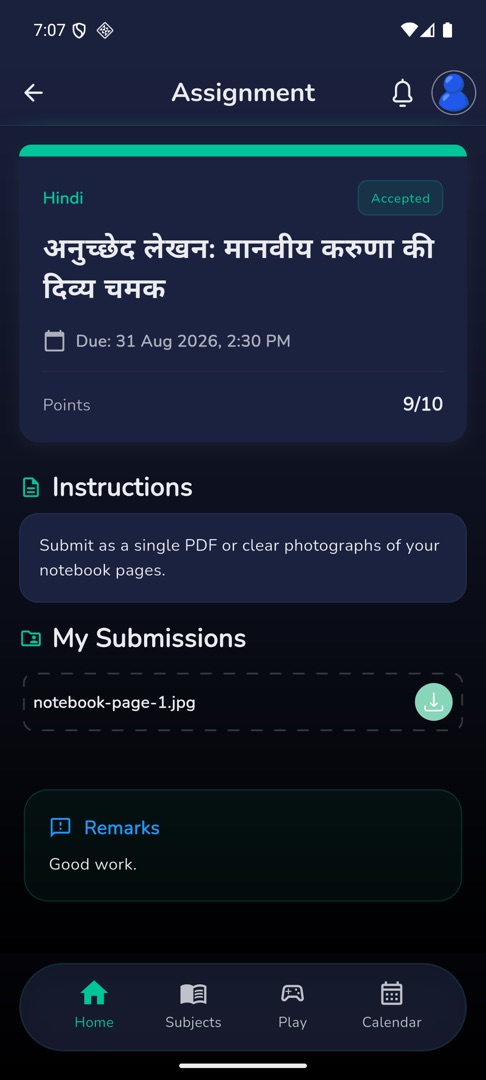
Open the assignment again. My Submissions lists the files you sent, Remarks shows your teacher's feedback in a blue card once they have written any, and where the assignment carries marks the header changes from Possible Points to Points with {obtained}/{total}.
Rules and gotchas
- The upload button disappears once your teacher has Accepted the work, while it is In-review past the due date, and after the due date generally. A Rejected assignment can be uploaded again only if your teacher allowed resubmission, and only inside the extra days they set.
- While it is In-review and still before the due date, the button reads Undo Submission instead — see undo a submission.
- Circin sets no file-type or size limit of its own; your school's server decides what it accepts.
- Using Camera needs camera permission. Denying it shows "Allow storage permission to continue".
- Closing the sheet while it is uploading cancels the upload. Stay on it until the percentage finishes.
- "No files uploaded yet" on a submission means it went through without a file attached.