Sign out of Circin, or delete your account
Sign out from the profile list, and know exactly what Delete Account does before you tap it — including what it does not remove.
Updated
Both live at the bottom of the profile list, one under the other. Signing out is reversible; deleting is not, so read the second half before you tap it.
How do I sign out?
- Tap your avatar, then scroll the list to Logout!.
- The dialog asks "Are you sure you want to logout your account?"
- Tap Yes, Logout — or Stay logged in! to back out.
- Circin returns to the Log In screen.
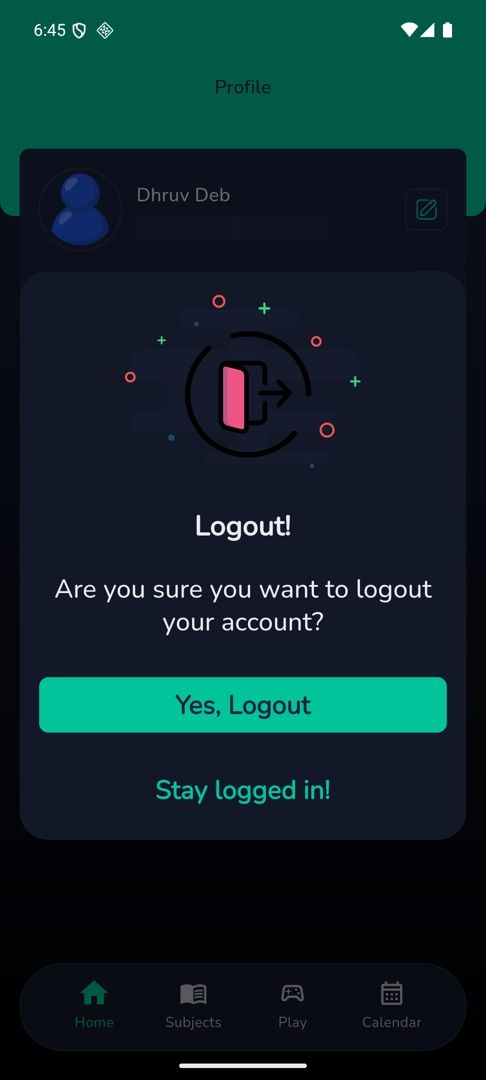
Signing out also unregisters this phone for notifications and clears Circin's local data, including your notification history, which does not come back when you sign in again.
What does Delete Account actually do?
- Tap Delete Account at the very bottom of the list.
- The dialog reads "This action is permanent and cannot be undone. Your account and all associated data will be deleted. You will need to contact your school administrator to create a new account."
- Tap Yes, Delete — or Keep, Account to stop.
- The dialog shows "Deleting Account...", then you are signed out with "Account deleted successfully".
What happens today is narrower than that wording. Deleting removes your Circin sign-in account, so you can no longer log in; your school record — attendance, marks, assignments and the rest — stays in your school's system and is removed by the school, not by this button. Ask your school office if you need the record itself deleted.
Rules and gotchas
- If you have not signed in recently the delete fails with "To delete account, sign-in again and delete account immediately." Sign in again and retry straight away.
- There is no way to undo a deletion from inside Circin. A new account has to be created by your school.