Browse the school photo gallery in Circin
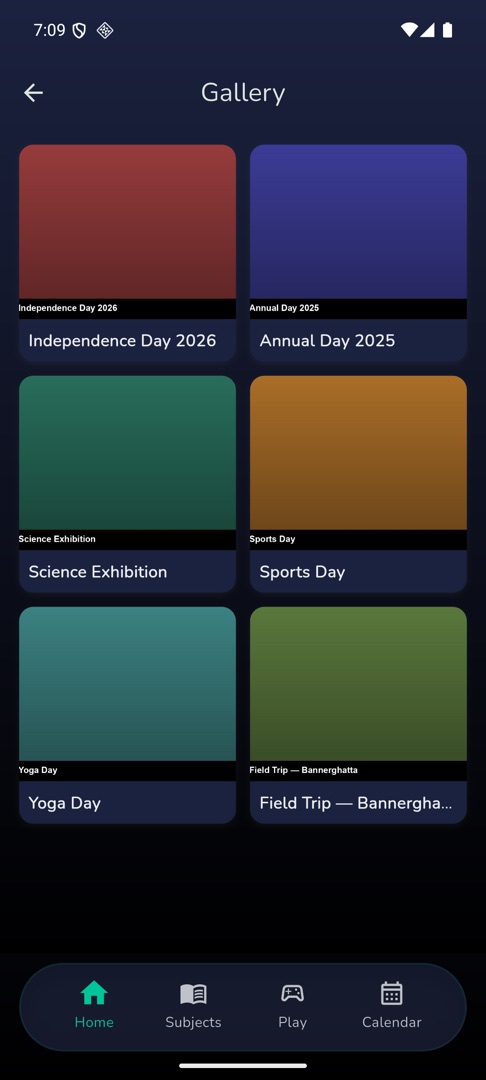
Open Gallery from Circin's Quick actions to see your school's albums, swipe through the photos and open the videos.
Updated
Student
Your school's photos of events, trips and days out are published as albums, and Circin shows them album by album.
How do I look through an album?
- On Home, scroll to "Quick actions" and tap Gallery. Albums appear as a grid of cover thumbnails with their titles.
- Tap an album. The app bar takes its name, and the contents are laid out photos first, then videos.
- Tap a photo to open it full screen, then swipe left and right through the album.
- Tap a video tile — the one with a play overlay — to watch it. That leaves Circin and opens YouTube or your browser.
Rules and gotchas
- A large album can show about ten items for a moment and then fill in the rest — the grid loads a preview and the album screen fetches the whole thing.
- An album with nothing in it reads "No photos available"; a school with no albums at all reads "No images found."
- If the gallery cannot load, the screen prints "Error: " followed by the server's own message. It is not something you can fix from the app — try again later, or tell your school.
- Albums are uploaded by your school. There is no way to add a photo from Circin.