Review your answers and report a question in Circin
Pay coins once to walk back through every question you were just asked, see the correct answer, bookmark it, or tell your school the question is wrong.
Updated
Student
The review screen is where a quiz turns into revision: it shows every question you were just asked, what you picked, and what the right answer was. It costs coins.
How do I review my answers?
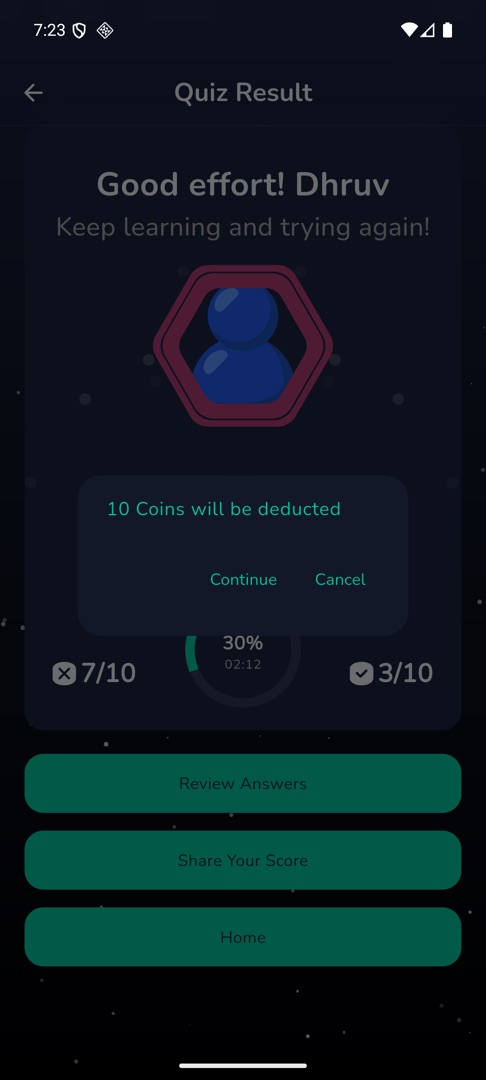
- On the result screen, tap Review Answers. A dialog warns "{n} Coins will be deducted" — tap Continue, or Cancel to keep the coins.
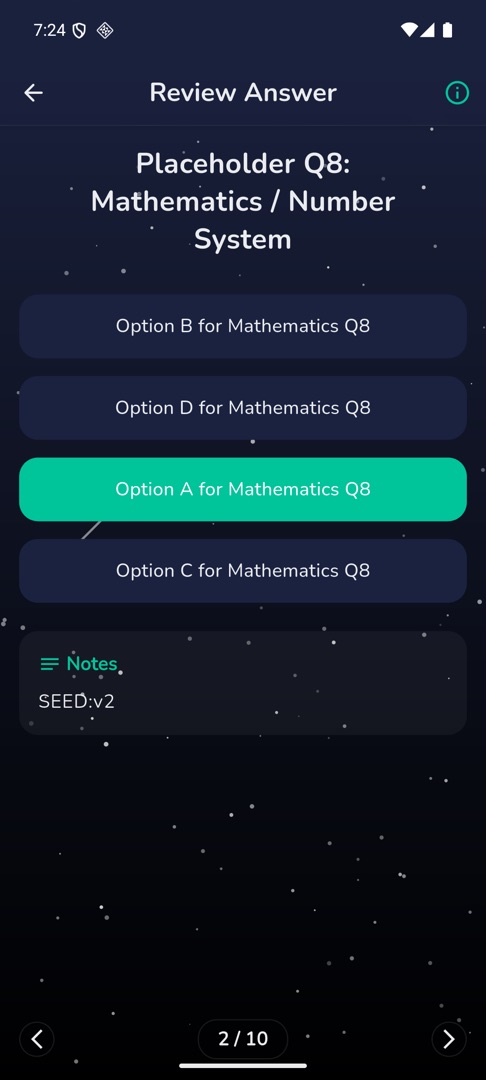
- The "Review Answer" screen opens one question per page. Swipe between them.
- Each page highlights the correct option in green. Where the question has an explanation it appears under Notes; where it has none you get "Notes not available".
- The app bar carries an ⓘ icon for reporting the question.
How do I report a question that looks wrong?
- Tap the ⓘ icon in the app bar. A sheet titled "Report Question" slides up, with an ✕ in the corner.
- Type what is wrong in the field hinted "Enter your reason".
- Tap Submit. The button reads Submitting while it sends, and the sheet closes when it has gone.
There is no confirmation message — a sheet that closes is the success signal. If it fails, the button becomes Try Again with the error in red above it.
Rules and gotchas
- You are charged once per result. You can leave the review and come back into it for free until you leave that result screen.
- Not enough coins gives you the "Not enough coins" dialog and charges nothing.
- Review is offered for Quiz Zone, Daily Quiz, True / False, Self Challenge, Guess The Word, Fun 'N' Learn, Math Mania and MultiMatch. Battles have no review.
- You can only report a question from this review screen, never while you are playing.