Check the leaderboard in Circin
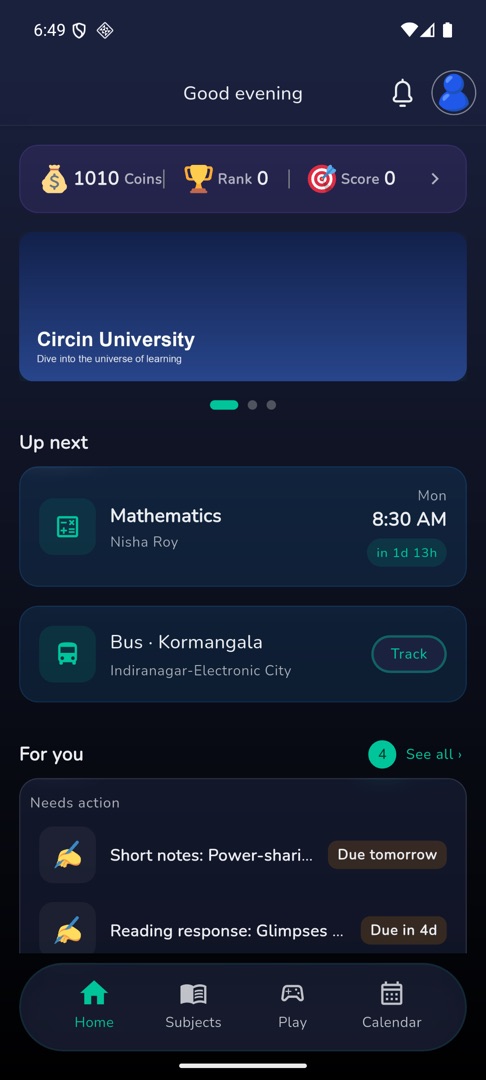
Your rank against everyone else playing, for all time, this month and today — reached from the Coins / Rank / Score strip at the top of Home.
Updated
Student
The leaderboard ranks you against everyone else playing, on the score you have built up in practice games and battles.
How do I open it?
- On Home, tap the strip at the very top showing your Coins, Rank and Score.
- The "Leaderboard" opens with three tabs: All time, Monthly and Today's.
- Each tab shows a top-three podium, then the ranked list below it, with your own position pinned as My Rank.
- Scroll down to load more of the list.
Rules and gotchas
- There is no leaderboard tab in the bottom bar. The reward strip on Home is the only way in.
- With nothing to show, the tab reads "No Leaderboard".
- When a tab has three or fewer people in it, only the podium renders and the list below stays empty. That is the whole leaderboard, not a loading failure.
- The rank here is a practice score. It is not your academic standing — your school's results live under Exams and Results.