Answer questions during a quiz in Circin
What the timer ring, the question counter and the coin pill mean while a Circin quiz is running — and what happens if you run out of time or quit.
Updated
Student
Every single-player game in Circin plays the same way once the questions start, whichever one you opened from the Play tab.
What am I looking at?
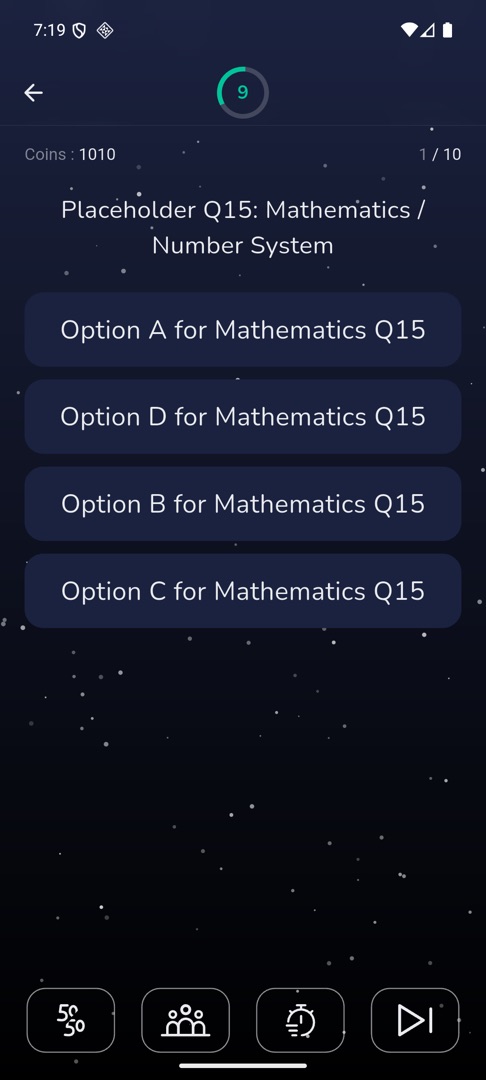
- A countdown ring sits in the app bar, your balance shows as Coins : {n} in the top right, and the question counter
{current} / {total}sits between them. - Tap an option to answer it. Whether Circin tells you straight away if you were right is a setting your school controls, so it may simply move on.
- After a one-second pause the next question slides in.
- The result screen follows the last question.
Rules and gotchas
- Letting the timer run out counts the question as unanswered and moves you on. There is no way back to it.
- How long each question lasts, and how much a right or a wrong answer is worth, are set per game by your school — they are not the same in every game.
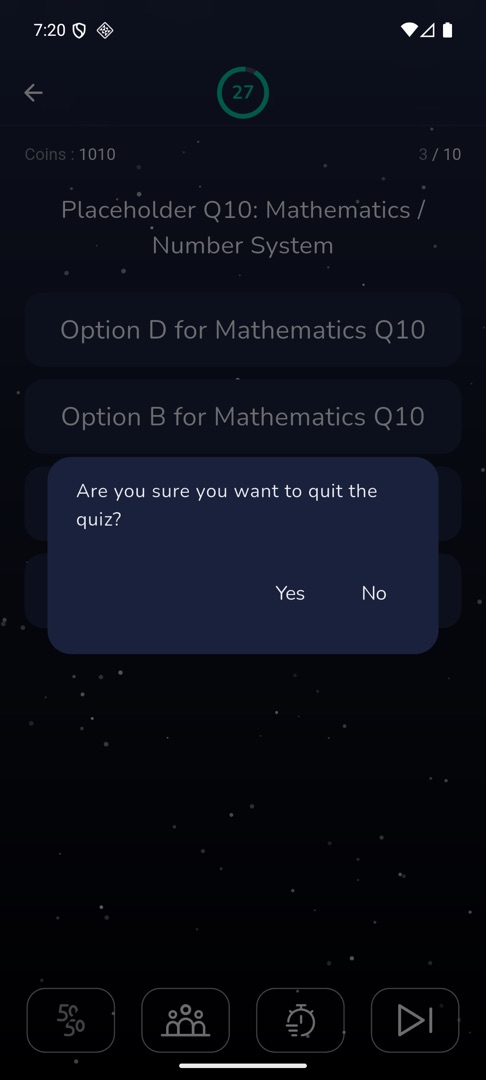
- Tapping back asks "Are you sure you want to quit the quiz?" with Yes and No.
- Sound effects and vibration only fire if Sound and Vibration are on in your profile.
- Lifelines appear only in Quiz Zone and the Daily Quiz. See Use a lifeline.