Read your diary remarks in Circin
Open Diary from Circin's Quick actions to read the notes your teachers have written about your work and conduct, newest first.
Updated
Student
The diary is where your teachers write notes home — classwork, homework, a reminder, or a remark about conduct. In Circin it is a read-only list.
How do I read my remarks?
- On Home, scroll to "Quick actions" and tap Diary.
- Each remark is a card with a coloured left edge, a category chip, the date, the title, the subject and the first two lines of the note.
- Tap a card to read the whole remark.
- Scroll to load older entries.
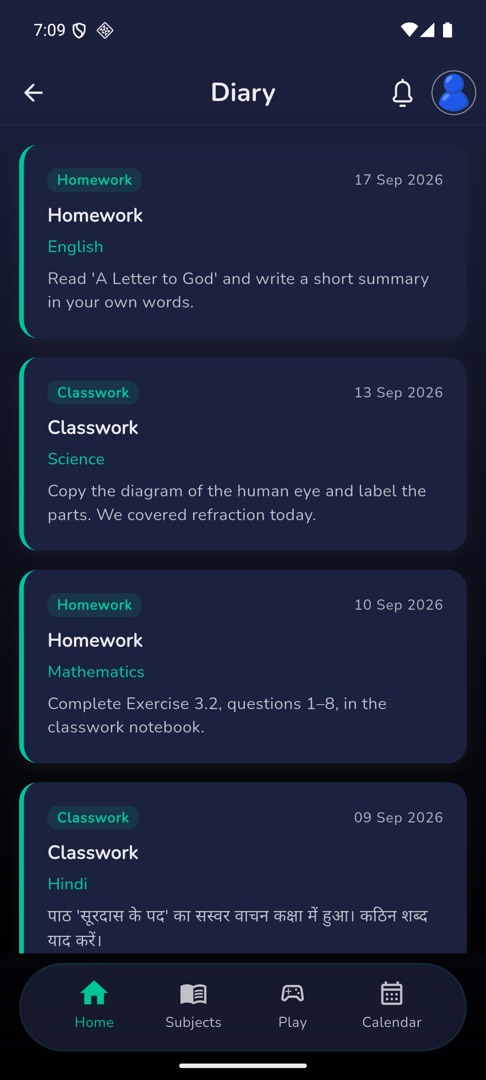
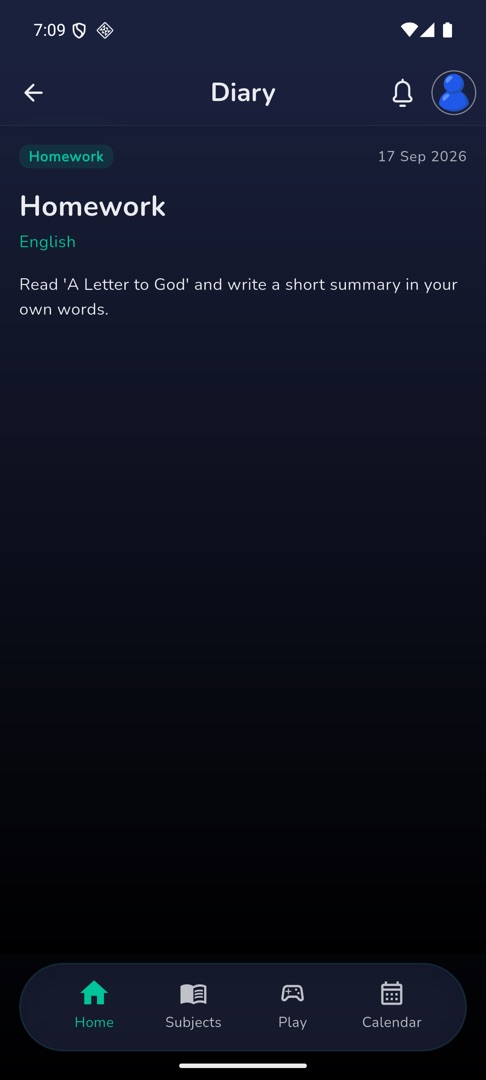
What does the coloured edge mean?
Green is a positive category and red is a negative one. The colour follows the kind of category your school set up, not its name — so a category called "Homework" can be either, depending on how the school defined it.
Rules and gotchas
- Diary is read-only. You cannot reply to a remark or add one of your own; if you want to respond, message the teacher or speak to them.
- There is no search and no filter on this screen, so an old remark means scrolling.
- A new remark also arrives as a notification, and tapping that notification opens the entry itself.
- With nothing written yet: "No diary entries yet."