Change the theme, sound and quiz language in Circin
Switch Circin to dark mode, choose the language your quizzes are written in, and turn quiz sound and vibration off — all from the profile list.
Updated
Circin's settings are rows in the profile list rather than a settings screen. Tap your avatar in the top right to reach them.
How do I switch to dark mode?
- Tap Theme in the profile list. A sheet offers Light Theme, Dark Theme and a third option that follows your phone.
- Tap the one you want — the whole app changes immediately.
- Tap Save to close the sheet.
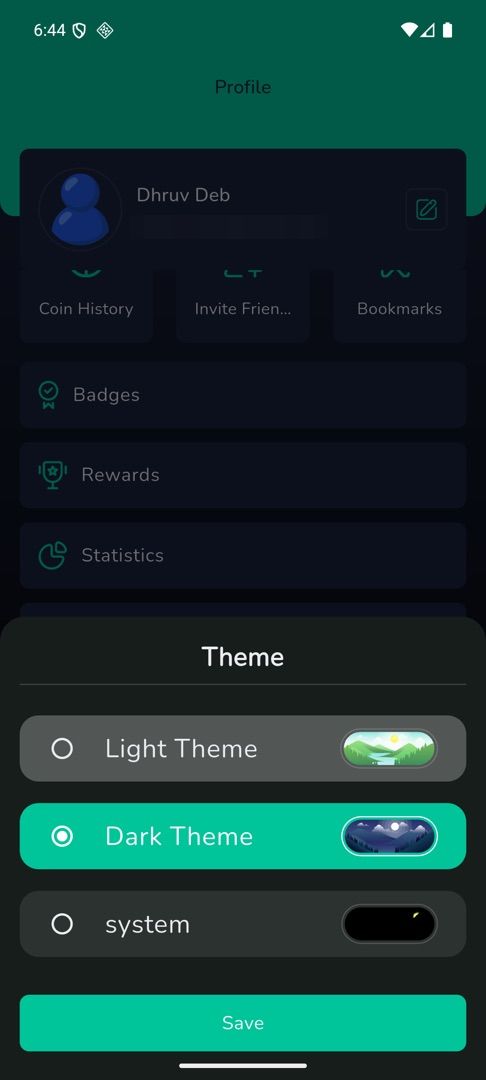
Two things to know. The third row currently shows the raw word system rather than a sentence; it means "match my phone". And tapping the row that is already selected does nothing at all — tap a different one.
How do I change the language my quizzes are in?
Tap Quiz Language, tap a language, then Save. It applies immediately.
That is the language of quiz content, not of the app. The Circin interface is English only today, which is why there is no app-language row to change.
How do I turn the quiz sounds off?
Tap the switch beside Sound to mute the quiz sound effects, and the switch beside Vibration to stop the buzz. Both start switched on. Only the switch responds — tapping the row's label does nothing.
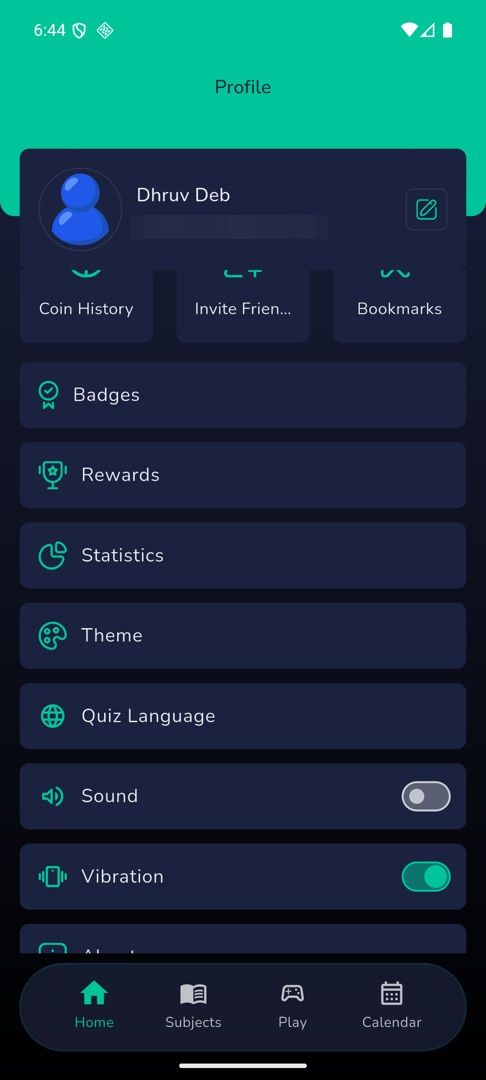
Rules and gotchas
- All three choices are saved on this phone. A new phone starts from the defaults.
- Quiz Language is hidden entirely if your school publishes only one quiz language.
- There is no notification setting in Circin and no text-size control. Use your phone's own settings for notifications; there is nothing in the app for question text size.