Import chapters from a standard curriculum in Circin Maestro
Pick a board, class and subject, tick the chapters and topics you teach, and import them into your own subject instead of typing them out.
Updated
Teacher
Rather than typing a syllabus chapter by chapter, you can browse a published curriculum and import the parts you teach. The import writes real lessons and topics into your own subject, and running it again updates instead of duplicating.
How do I import chapters?
- On the Manage tab open Curriculum, and check that the Grade and Subject pills are the subject you want to import into.
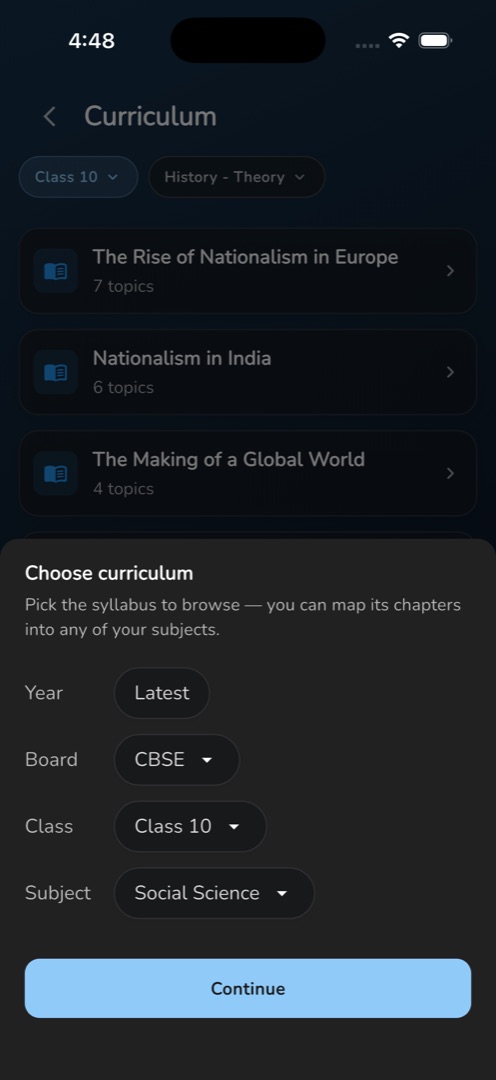
- Tap the filled Import from curriculum button.
- The sheet Choose curriculum opens — Pick the syllabus to browse — you can map its chapters into any of your subjects. Year is fixed at Latest; choose Board, Class and Subject. Class and subject are pre-filled from your context where they match.
- Tap Continue, which stays greyed out until class and subject are both set.
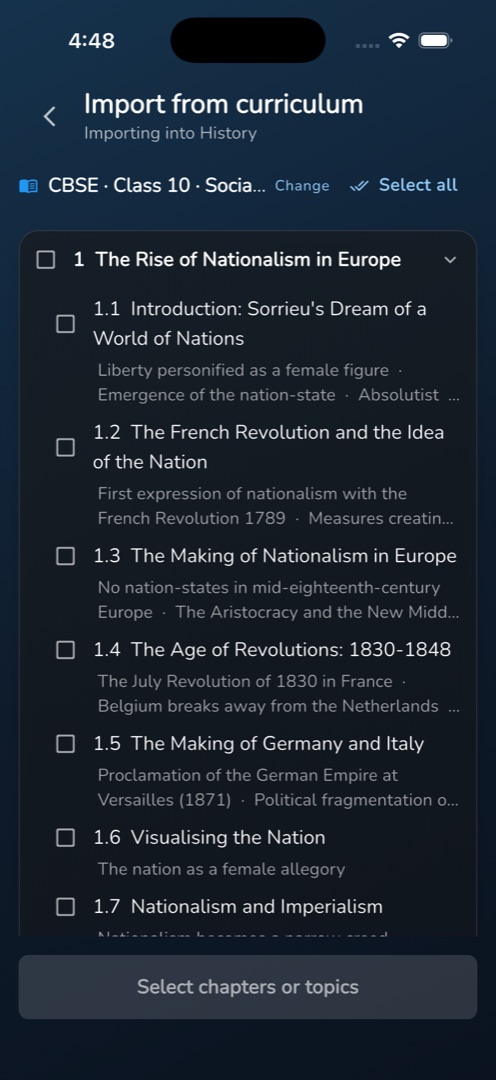
- The import screen opens, sub-titled Importing into <your subject>. Tap a chapter name or its chevron to expand it into topic rows; each row has its own checkbox and a muted line of concept names for context.
- Tick the chapters and topics you want — or use Select all — and tap Import selected (N).
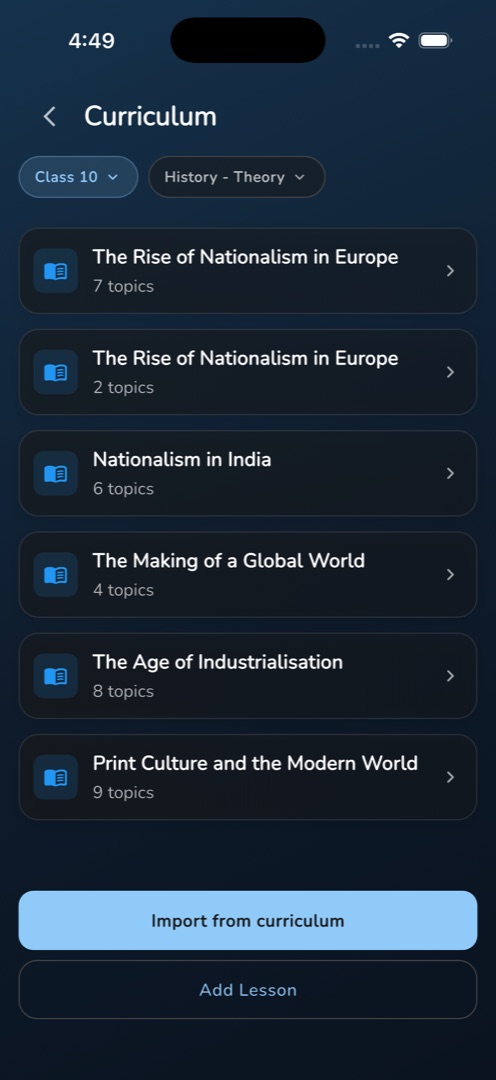
- You land back on the curriculum list, with a snackbar headed Curriculum import reporting, for example, 12 added, 3 updated.
Rules and gotchas
- The curriculum's subject is deliberately independent of yours: a Physics teacher can import from Science. That is why the picker asks rather than matching names.
- The concept lines under a topic are reference only. They are never imported.
- Re-importing is safe. A chapter renamed upstream counts as updated, and nothing is duplicated; an unchanged scope reports Already up to date.
- Boards come from the server, so the list varies by school. If it cannot be reached you get Could not load the curriculum. with the error.
- Nothing found for a scope reads No chapters found for <scope>. Try a different class or subject.
- A failed import writes nothing and shows an Import failed snackbar.
Hand-built lessons work the same way afterwards — see Add lessons and topics.