Generate study materials in Circin Maestro
Turn a recorded session into a summary, mind map, flashcards and quiz questions — pick the types, leave it running, and review when it finishes.
Updated
Teacher
Also on Circin Canvas: Generate study materials from what you just taught
Once a session has been recorded, Circin Maestro can turn it into material the class can revise from. You choose the types, and it runs in the background while you get on with the day.
How do I generate the materials?
- Stop a recording and the picker opens by itself. On a session that already has content, tap Generate next to Content ready to generate — or Re-generate where a draft is waiting.
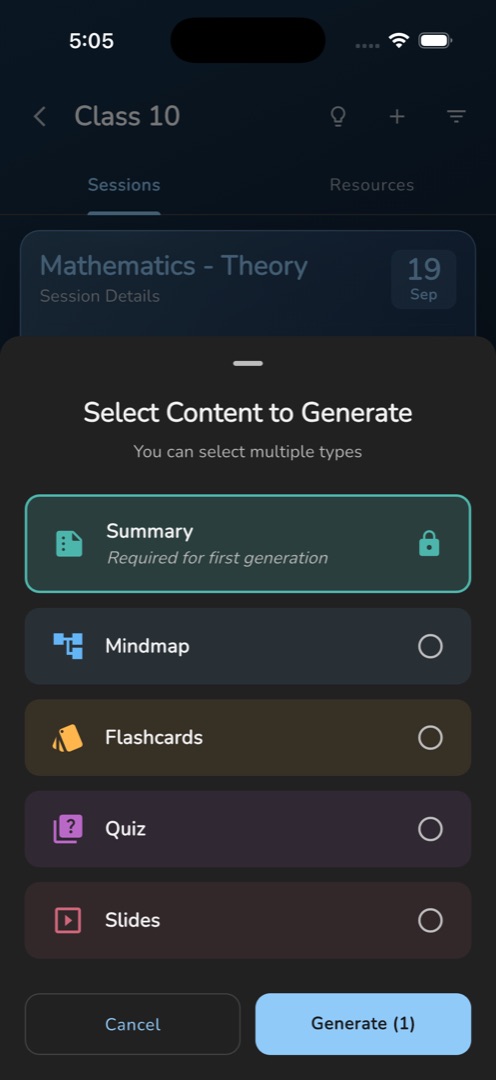
- The sheet Select Content to Generate opens under the line You can select multiple types.
- Tap the types you want: Summary, Mindmap, Flashcards, Quiz.
- Tap Generate (N). It stays disabled while nothing is selected.
- A snackbar reads Content generation started and the header row becomes Generating content — check notifications. A device notification, Generating Content / AI is creating your study materials..., stays up while it runs.
- When it finishes, the notification reads Content Generated / Tap to review and publish your content. In the app, the row becomes Review and Re-generate.
Rules and gotchas
- On a first generation Summary is pre-selected and locked, marked Required for first generation: everything else is generated from it.
- Types that already exist are dropped from the list. When none are left the sheet reads All Content Generated! with a single Done.
- You can leave the screen, or close the app. The result is kept as a local draft on the phone until you publish it.
- Partial results are normal and are reported as such: the notification becomes Content partially generated, and the type that failed gets its own Re-generate button in the review screen.
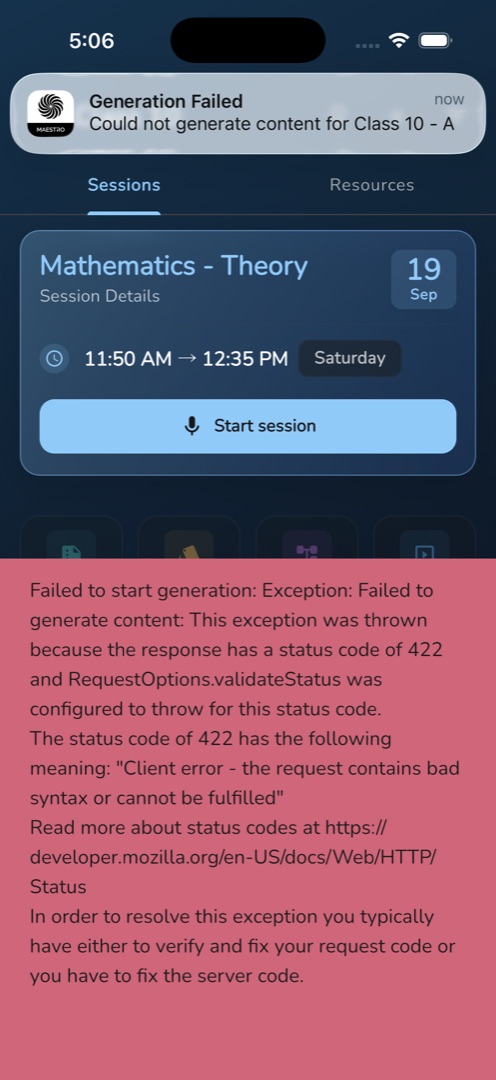
- A hard failure reads Generation Failed with Could not generate content for <class>.
- On an extra, ad-hoc session the draft is not re-saved after a regenerate. Finish reviewing that one in a single sitting.
Nothing reaches the students until you review and publish it. The board can generate the same way — see Generate study materials.