Run monthly payroll in Circin Maestro
Pay staff for a month from Circin Maestro — check each person's leave deduction, adjust the net salary, tick the rows and submit.
Updated
Staff
Also on Admin Panel: Run payroll
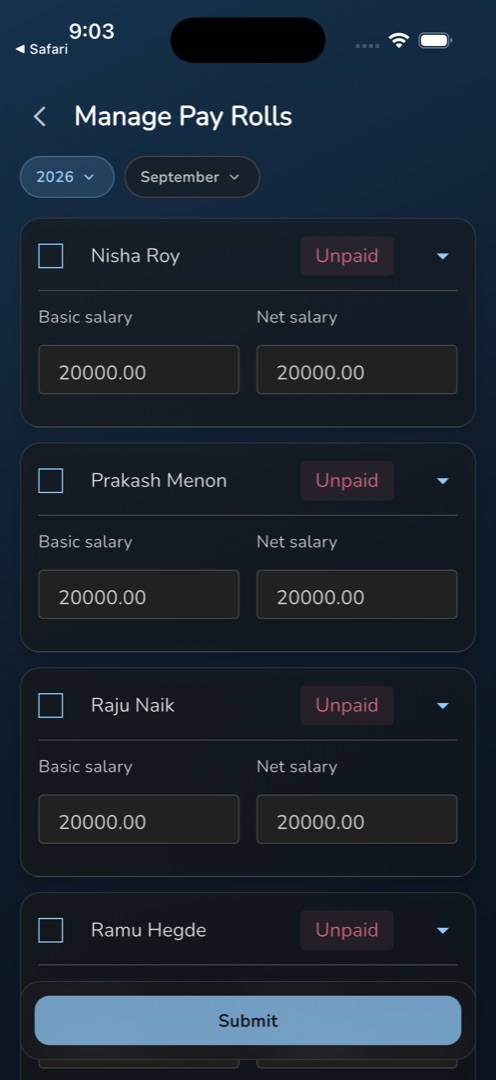
Manage → Admin → Manage Pay Rolls runs a month's payroll from the phone: one row per staff member, a net salary you can override, and a single Submit.
How do I run a month?
- Open Manage → Admin → Manage Pay Rolls. The tile is only there if your role holds the payroll-list permission.
- Set the two pills: the year pill (it auto-selects the last year in the list) and the month pill, which starts on the current month.
- Each staff member is a row with a checkbox, their name, a Paid or Unpaid chip, and two fields — Basic salary, read-only, and Net salary, editable and pre-filled.
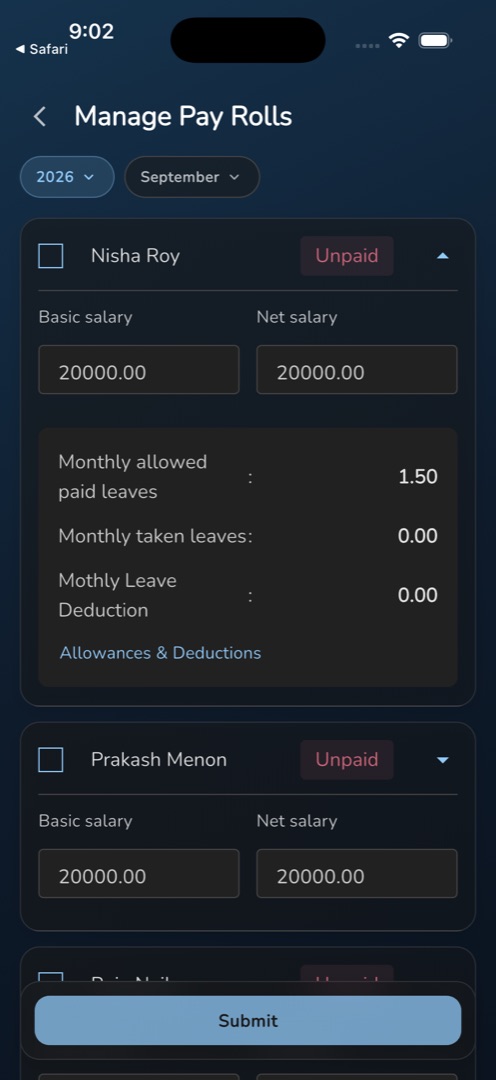
- Tap a row to expand it and check the working: Monthly allowed paid leaves, Monthly taken leaves and Mothly Leave Deduction — that spelling is the app's, not ours. The link below opens Allowances & Deductions on an unpaid row, or Download salary slip on a paid one.
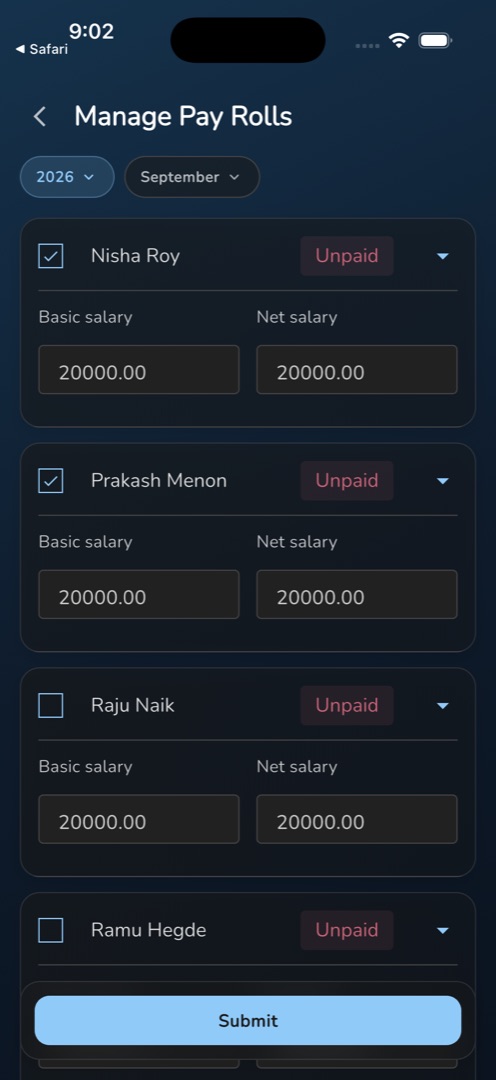
- Tick everyone you are paying, and edit Net salary on any row you want to override.
- Tap Submit in the bottom bar.
- The list refetches and your selection clears. The rows flipping to Paid is the only confirmation you get — there is no success message.
Rules and gotchas
- Never leave Net salary empty. A blank or stray character in that field makes the submit throw before anything is sent, with nothing shown on screen. Retype the figure and submit again.
- A rejected run fails silently. If the server refuses the submission, no message appears at all — the spinner simply stops and your selection stays. Always confirm the rows came back Paid before telling anyone payroll has run.
- The pre-filled net salary on an unpaid row is basic salary − leave deduction − deductions + allowances, where the leave deduction is the days over the allowance × (basic ÷ 30). That divisor is a flat 30 whatever the length of the month.
- Monthly allowed paid leaves is the same number on every row — a school setting, not a personal entitlement. Half-days count as 0.5 in Monthly taken leaves.
- Changing the year or the month clears your selection, discarding any net-salary edits on ticked rows. Set the period first.
- A paid row needs the payroll-edit permission to be selectable, an unpaid row needs payroll-create; without either the checkbox is blank space. With nothing ticked, Submit is dimmed and does nothing.
Staff see their own side of this on My Payroll Slips.