Run payroll
Generate staff payroll in Circin — choose the month and year and search to build the payroll list for that period.
Updated
School Admin
Also on Circin Maestro: Run monthly payroll in Circin Maestro
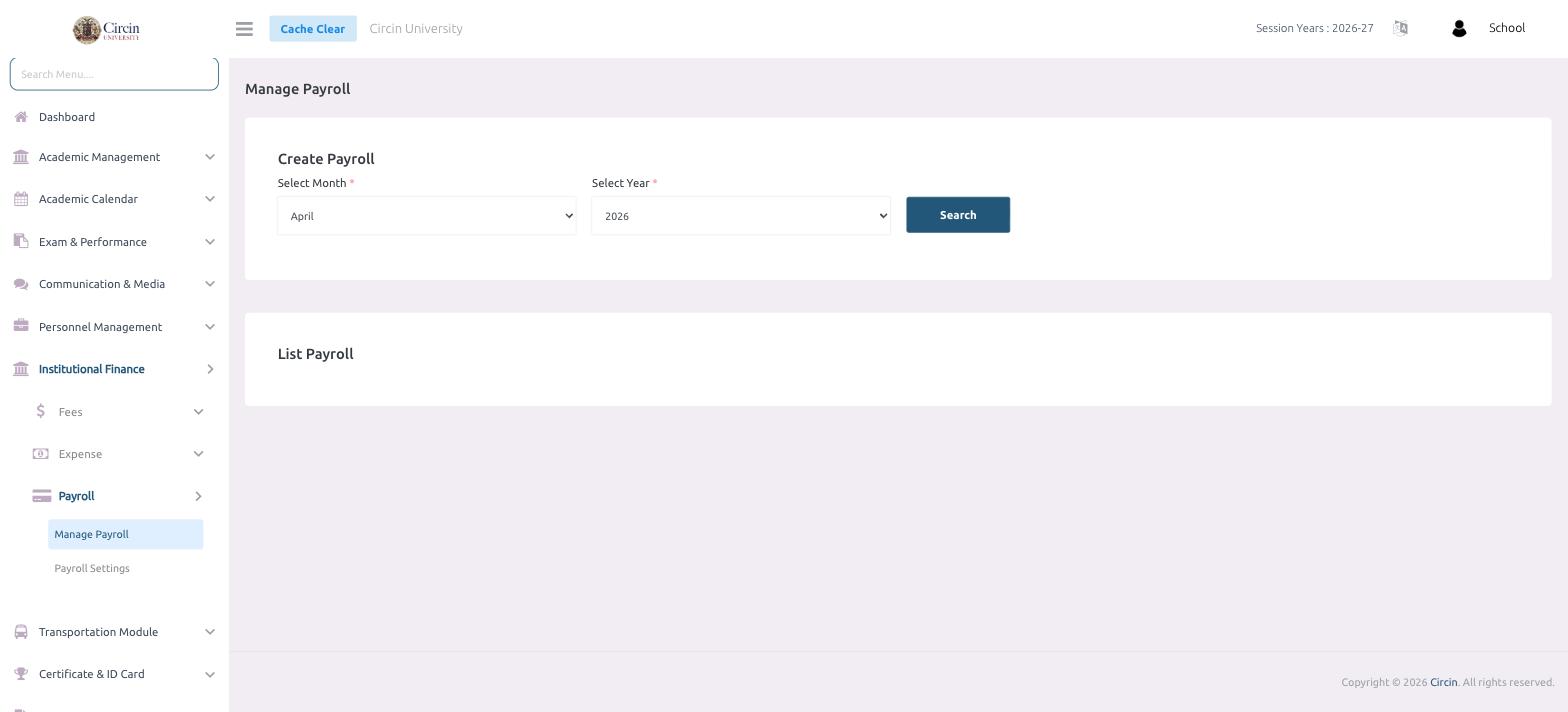
Manage Payroll is where you generate staff pay for a given period. You pick the month and year, then search to build the payroll list.
How do I generate payroll?
- In the left menu, open Institutional Finance → Payroll → Manage Payroll.
- Under Create Payroll, choose the Select Month (required, for example April).
- Choose the Select Year (required, for example 2026).
- Click Search. The List Payroll section below builds the payroll for that month and year.
Tips
- Allowances and deductions applied to each payslip come from Payroll Settings, so configure those before running payroll.
- Run payroll one month at a time by changing the Select Month and Select Year.