Staff attendance
Mark staff present or absent for the day in Circin, flag a holiday, and switch to the monthly view to review the register.
Updated
School Admin
Staff attendance in Circin is a daily register of who was Present or Absent. You pick the date, set each person's status, and update. A Monthly view lets you review the whole month at a glance.
How do I mark staff attendance?
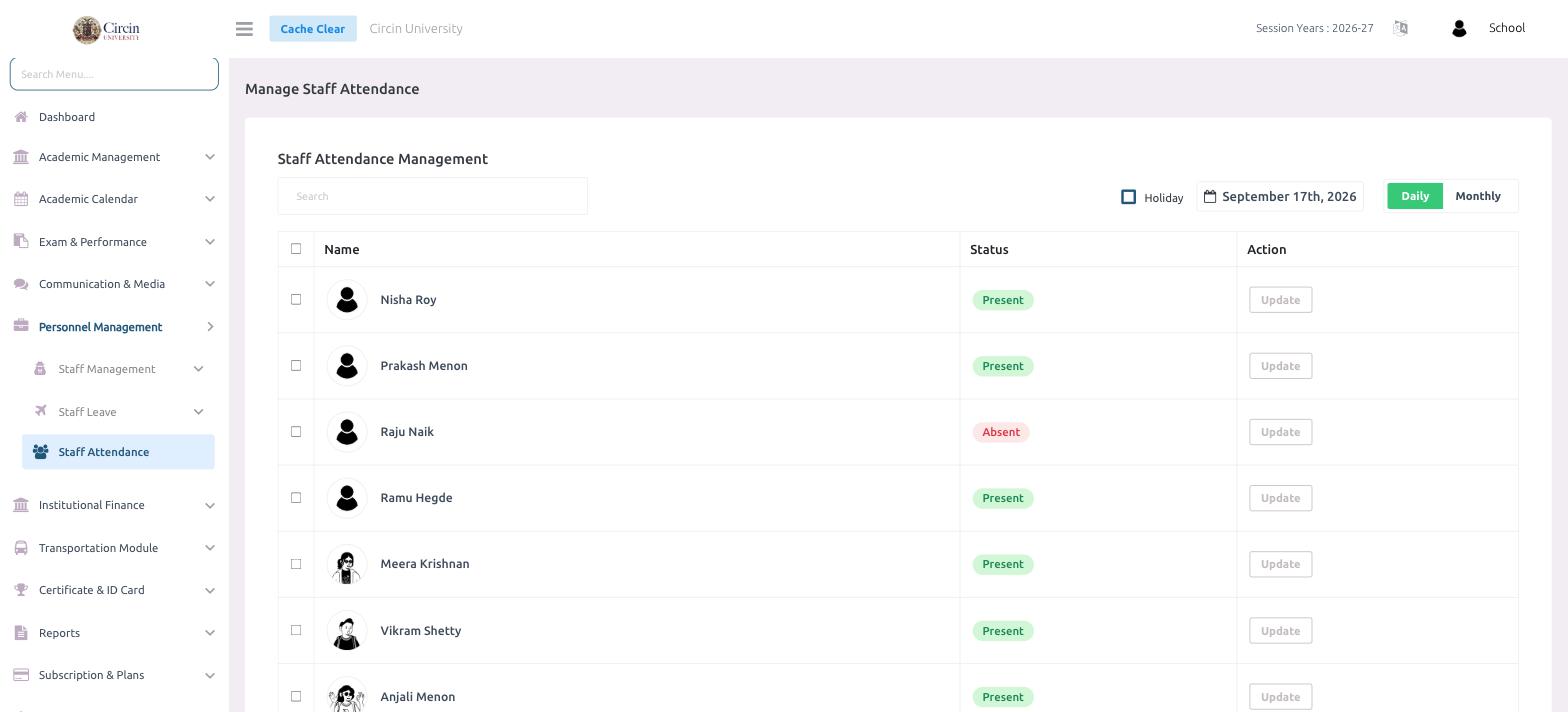
- In the left menu, open Personnel Management → Staff Attendance. This opens the Manage Staff Attendance page.
- Confirm the date (for example, September 17th, 2026) and keep the Daily view selected.
- For each staff member in the Name column, set the Status — Present or Absent — and click Update in the Action column to save that row.
How do I mark a holiday or see the month?
Tick the Holiday checkbox to mark the selected day as a holiday for staff. Switch from Daily to Monthly to review the full month's register, and use the Search box to find a staff member.
Tips
- Save each person with Update — the status column shows a green Present or a red Absent badge.
- Use the date control to record or correct attendance for an earlier day.