Plans
Open Subscription & Plans then Plans to compare each package as a card with its price, billing cycle and full feature list.
Updated
School Admin
The Plans page lays out each subscription package as a card so you can compare price, billing cycle and features before you choose. Open it from Subscription & Plans → Plans.
How do I compare plans?
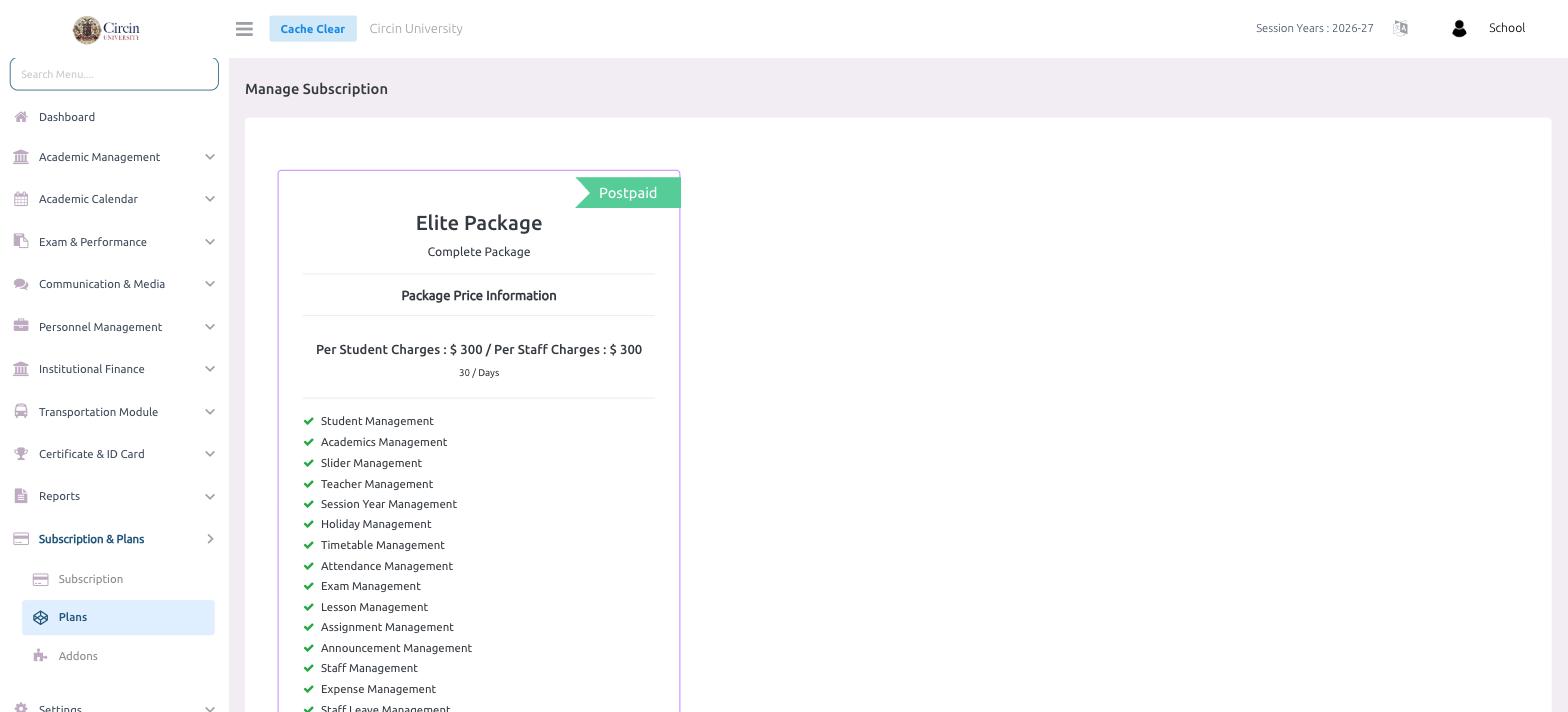
- In the left menu, open Subscription & Plans, then click Plans. The page opens on Manage Subscription.
- Each package appears as a card headed by its name (for example, Elite Package) and a short label such as Complete Package. A ribbon in the corner marks the billing type — for example Postpaid.
- Under Package Price Information, the card shows the charges — for example Per Student Charges : $ 300 / Per Staff Charges : $ 300 — and the cycle, 30 / Days.
- Below the price, a ticked list names every feature the package includes, such as Student Management, Academics Management, Exam Management, Lesson Management and Announcement Management.
How do I switch to a plan?
Pick the package that fits your school, then apply it from the Subscription page using Update Current Plan or Update Plan. The plan you choose there determines the charges and features that apply to your school.