Guardians
View and edit student guardians in Circin from the Guardian list — filter by class and section, and update a guardian's name, gender, or mobile number.
Updated
School Admin
Staff
Circin keeps a guardian on file for every student. The Guardian page lists them all — filter by class and section to find one, then edit their contact details.
Where do I find guardians?
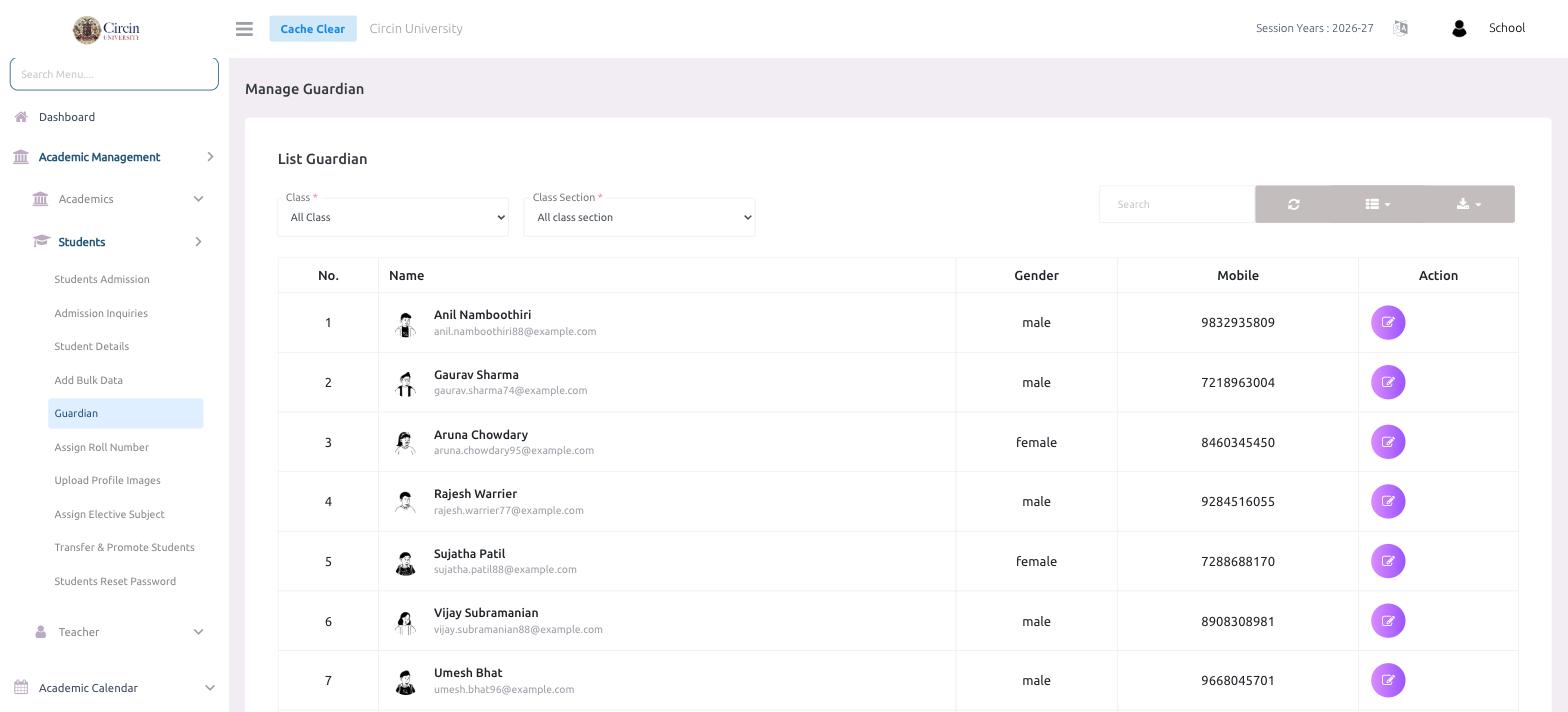
Open Academic Management → Students → Guardian. The List Guardian panel shows every guardian, defaulting to All Class and All class section.
How do I find and edit a guardian?
- Narrow the list with the Class and Class Section filters, or type in the Search box.
- Read the details in each row — No., Name (with email), Gender, and Mobile.
- Click the edit icon in the Action column to update that guardian's details.
Note: A guardian is linked to their student's record, so guardian details also appear alongside the student in Student Details.