Elective subjects
Assign elective subjects to students in Circin from Assign Elective Subject — filter by class section and subject, then set each student's electives.
Updated
School Admin
Staff
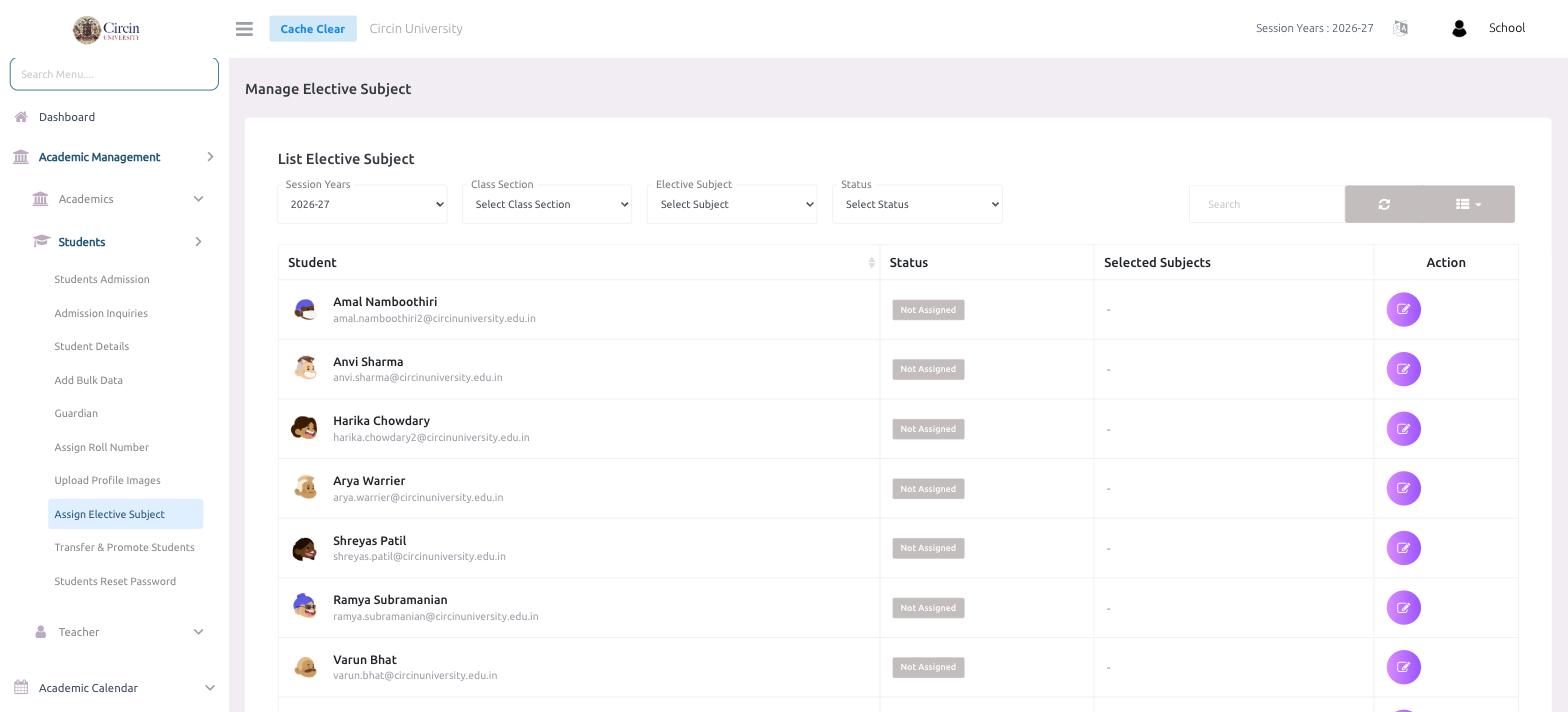
Assign Elective Subject is where you give each student their chosen electives in Circin. Filter the list by session, class section, subject, or status, then assign subjects student by student.
How do I assign an elective to a student?
- Open Academic Management → Students → Assign Elective Subject. The List Elective Subject panel loads.
- Narrow the list with the filters: Session Years (defaults to
2026-27), Class Section, Elective Subject, and Status. - Find the student — each row shows the Student (name and email), their Status (for example, Not Assigned), and Selected Subjects.
- Click the edit icon in the Action column to assign or change that student's elective subjects.
Tip: Filter Status to Not Assigned to see at a glance which students still need their electives set.