Staff certificates
Generate staff certificates in Circin by choosing a certificate template and selecting staff members from the list.
Updated
School Admin
The staff certificate generator works like the student one, but for your teachers and staff. Pick a Certificate template, tick the staff you need, and generate.
How do I generate a staff certificate?
- In the left menu, open Certificate & ID Card → Staff Certificate.
- On the Manage Certificate page, choose the Certificate from Select Certificate Template.
- Use the Search box to find staff if the list is long.
- In the List Staff table, tick the checkbox next to each staff member (or use the header checkbox to select all).
- Generate the certificates for the selected staff.
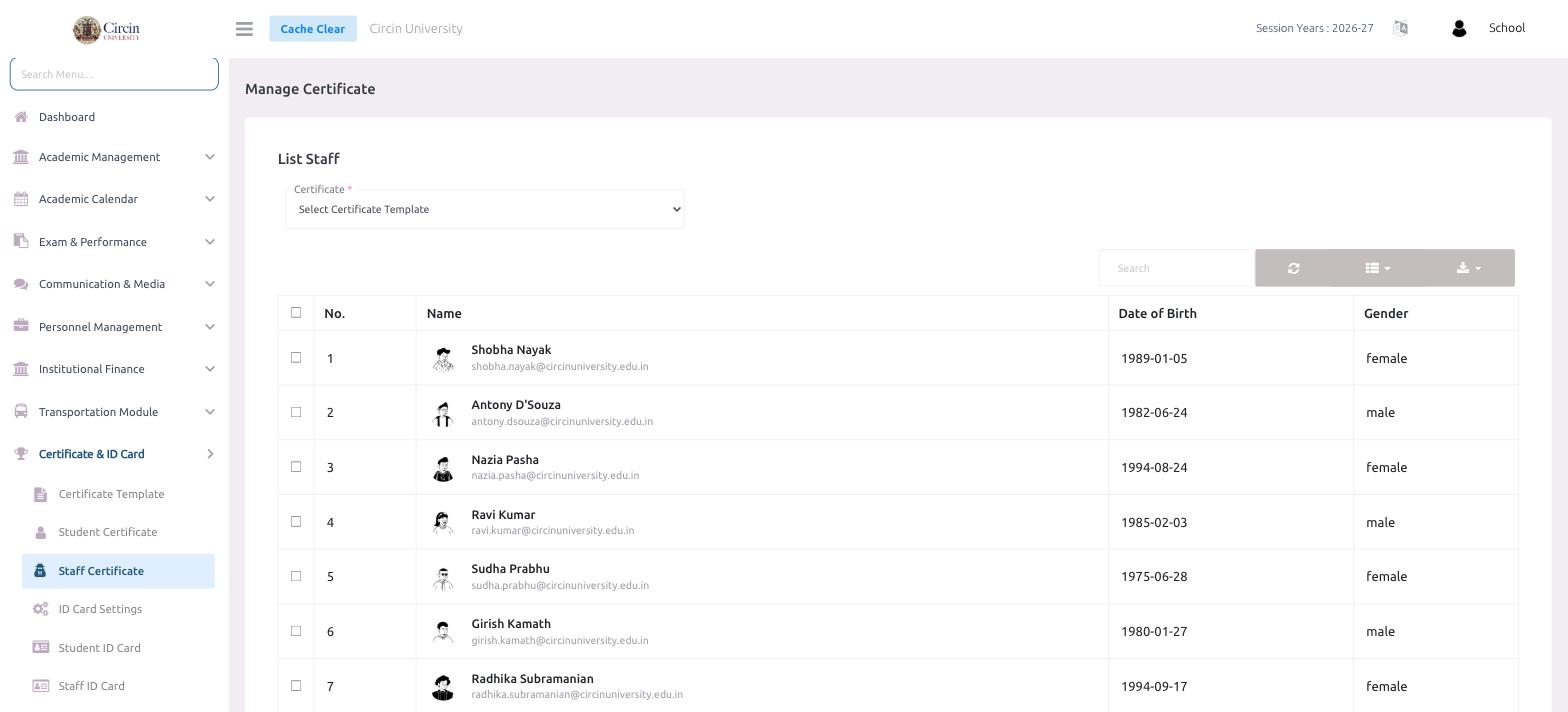
The table lists each staff member with No., Name, Date of Birth and Gender.
Tips
- Only templates you created with Type: Staff appear here — set the type when you build the template.