Sections
Add class sections like A, B, C or D in Circin — type the name and click Submit. Sections are then attached to classes on the Class page.
Updated
School Admin
A section in Circin is a division of a class, such as A, B, C or D. You create the section names once here, then attach them to specific classes on the Class page.
How do I add a section?
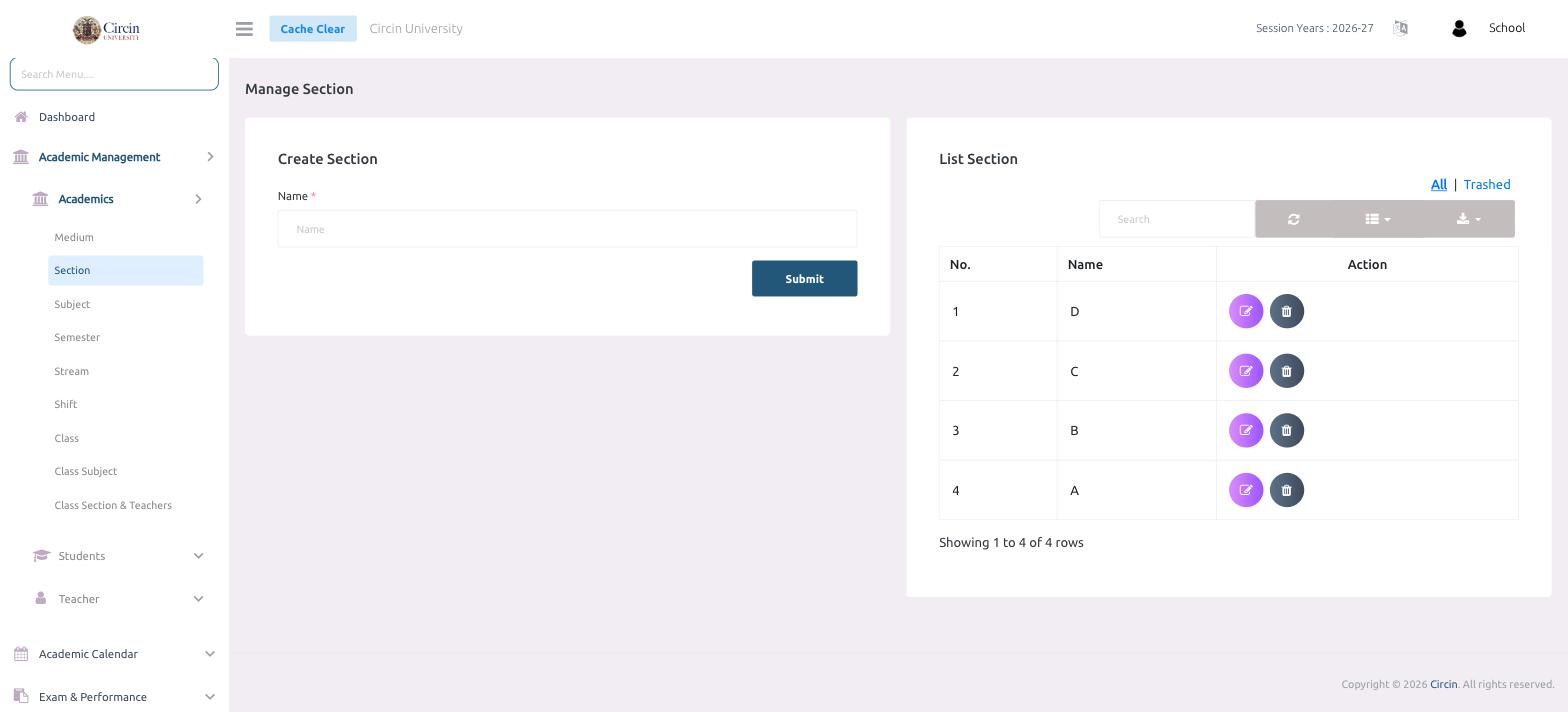
- In the left menu, open Academic Management → Academics → Section. The page is titled Manage Section.
- In the Create Section panel, type the section in the Name field (for example, A).
- Click Submit.
The section is added to the List Section table on the right, which shows No., Name and Action columns and a running count such as Showing 1 to 4 of 4 rows.
How do I edit or delete a section?
Every row has Action icons to edit or delete the section. The All and Trashed tabs let you view active or removed sections, and the Search box finds a section by name.