Semesters
Add a semester in Circin by entering a name, start date and end date. Semesters appear in a list where one can be marked current.
Updated
School Admin
A semester in Circin is a dated span of the school year — a name with a start date and an end date. Schools that run on a semester system use these to group classes and results by term.
How do I create a semester?
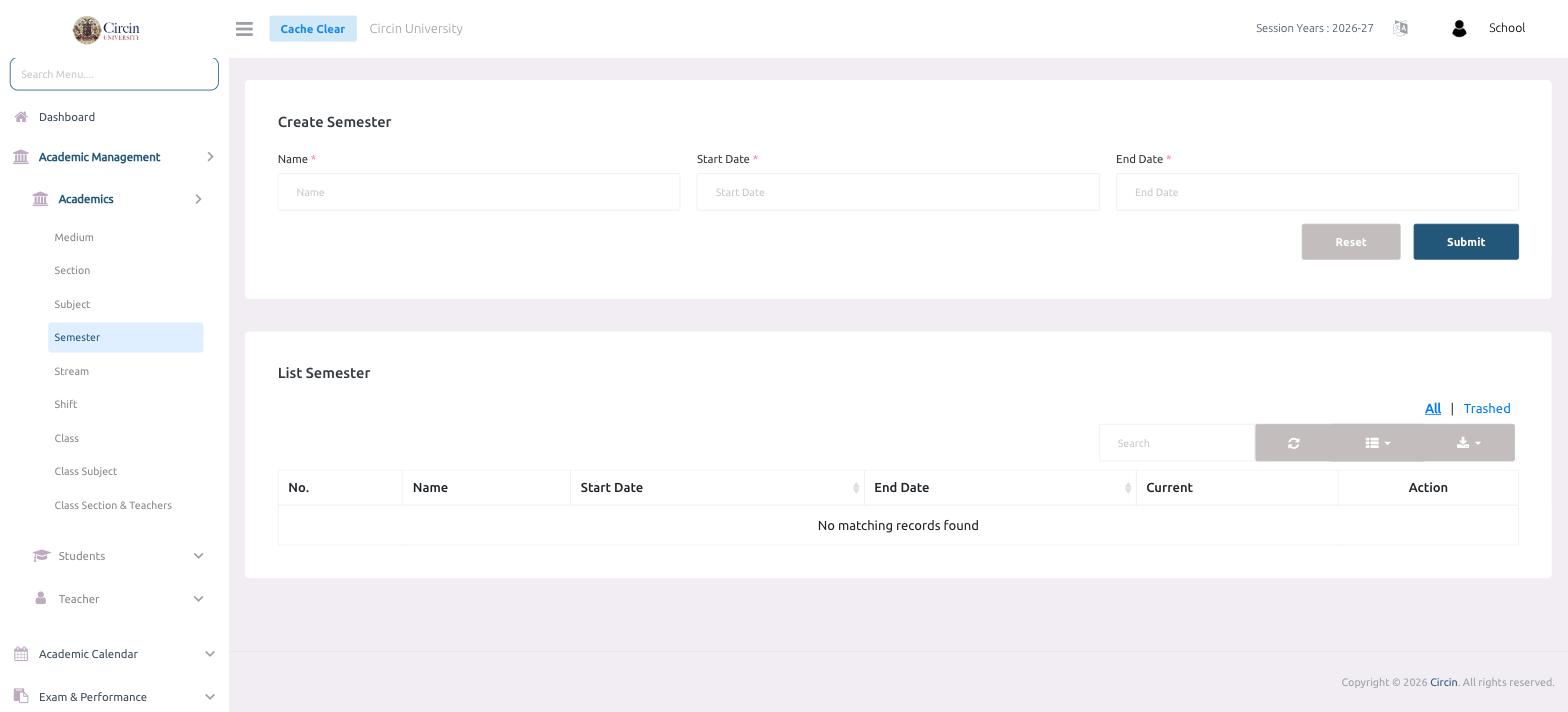
- In the left menu, open Academic Management → Academics → Semester.
- In the Create Semester panel, type the term in the Name field.
- Pick the Start Date.
- Pick the End Date.
- Click Submit. Use Reset to clear the form and start over.
The semester is added to the List Semester table below, which shows No., Name, Start Date, End Date, Current and Action columns. When no semesters exist yet, the list reads No matching records found.
Tips
- The Current column marks which semester is active, and the All / Trashed tabs switch between active and deleted terms.