Bulk-upload teachers
Add many teachers at once in Circin — download the dummy file, fill it as a CSV, upload it, and optionally email the new accounts.
Updated
School Admin
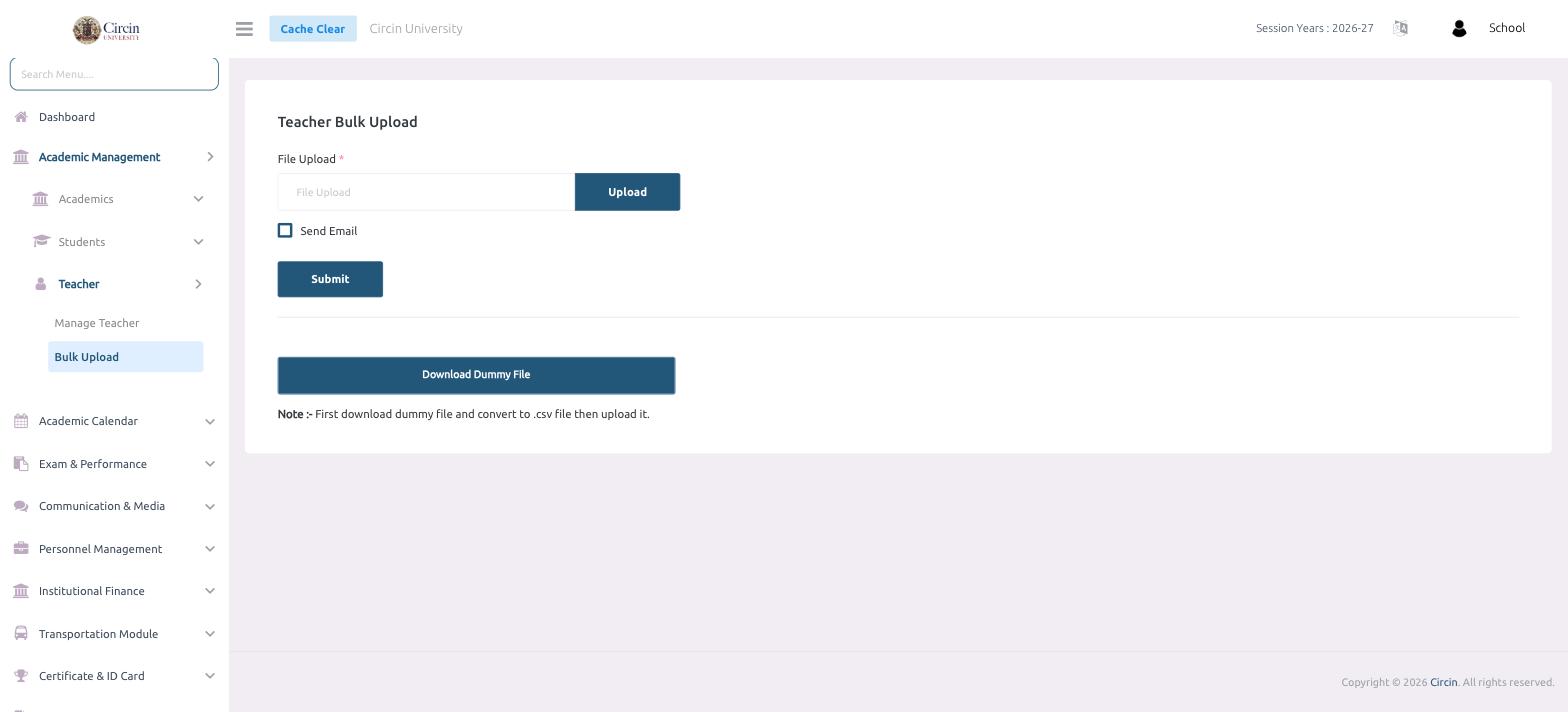
Teacher Bulk Upload lets you add many teachers to Circin in one go from a CSV file instead of filling the Create Teacher form for each person. Start from Circin's dummy file so your columns match exactly.
How do I bulk upload teachers?
- In the left menu, open Academic Management → Teacher → Bulk Upload. The page is titled Teacher Bulk Upload.
- Click Download Dummy File to get the template. The note reads: First download dummy file and convert to .csv file then upload it.
- Fill in one row per teacher, then save the file as .csv.
- In the File Upload field, choose your CSV and click Upload.
- Optionally tick Send Email so Circin emails each new teacher their account details.
- Click Submit to import the teachers.
Tips
- Always start from the Download Dummy File template — the importer expects those exact columns.
- Use Send Email when you want teachers notified straight away; leave it unticked to add accounts quietly first.