Roles & permissions
Create staff roles such as Principal, Librarian or Accountant in Circin and control what each role can access before assigning staff to them.
Updated
School Admin
Roles decide what each staff member can see and do in Circin. You define roles like Principal, Librarian or Accountant once, set their permissions, and then assign staff to them.
How do I create a new role?
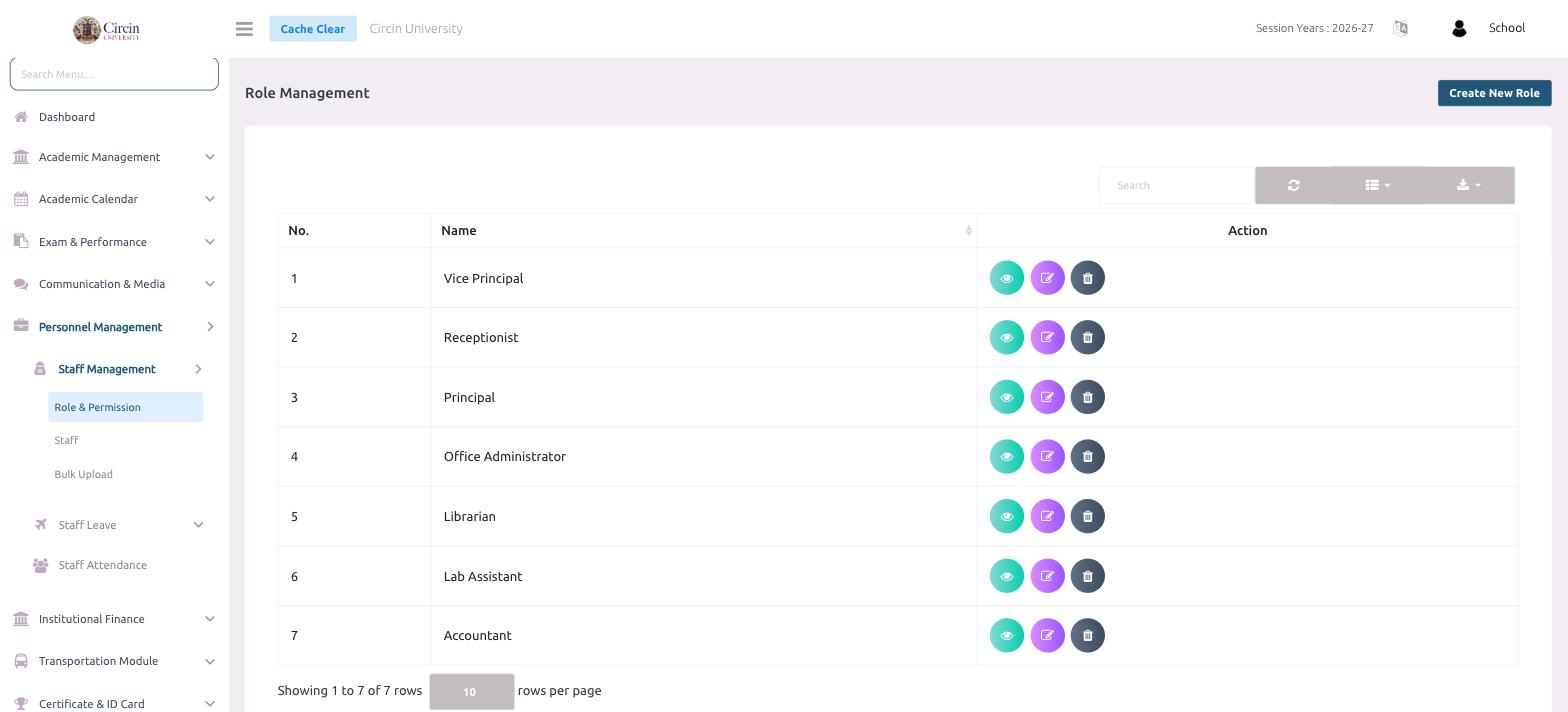
- In the left menu, open Personnel Management → Staff Management → Role & Permission. This opens the Role Management page.
- Click Create New Role at the top right.
- Give the role a name and set the permissions it should have, then save.
What roles come set up?
The list shows each role by No. and Name — for example, Vice Principal, Receptionist, Principal, Office Administrator, Librarian, Lab Assistant, and Accountant. Use the Action icons to view, edit, or delete a role, and the Search box to find one quickly.
Tips
- Set roles up before adding staff — you pick a role when you create each staff member.
- View a role first to check its permissions before assigning people to it.