Pickup points
Create named pickup points in Circin with a location on the map and optional latitude and longitude, ready to attach to your bus routes.
Updated
School Admin
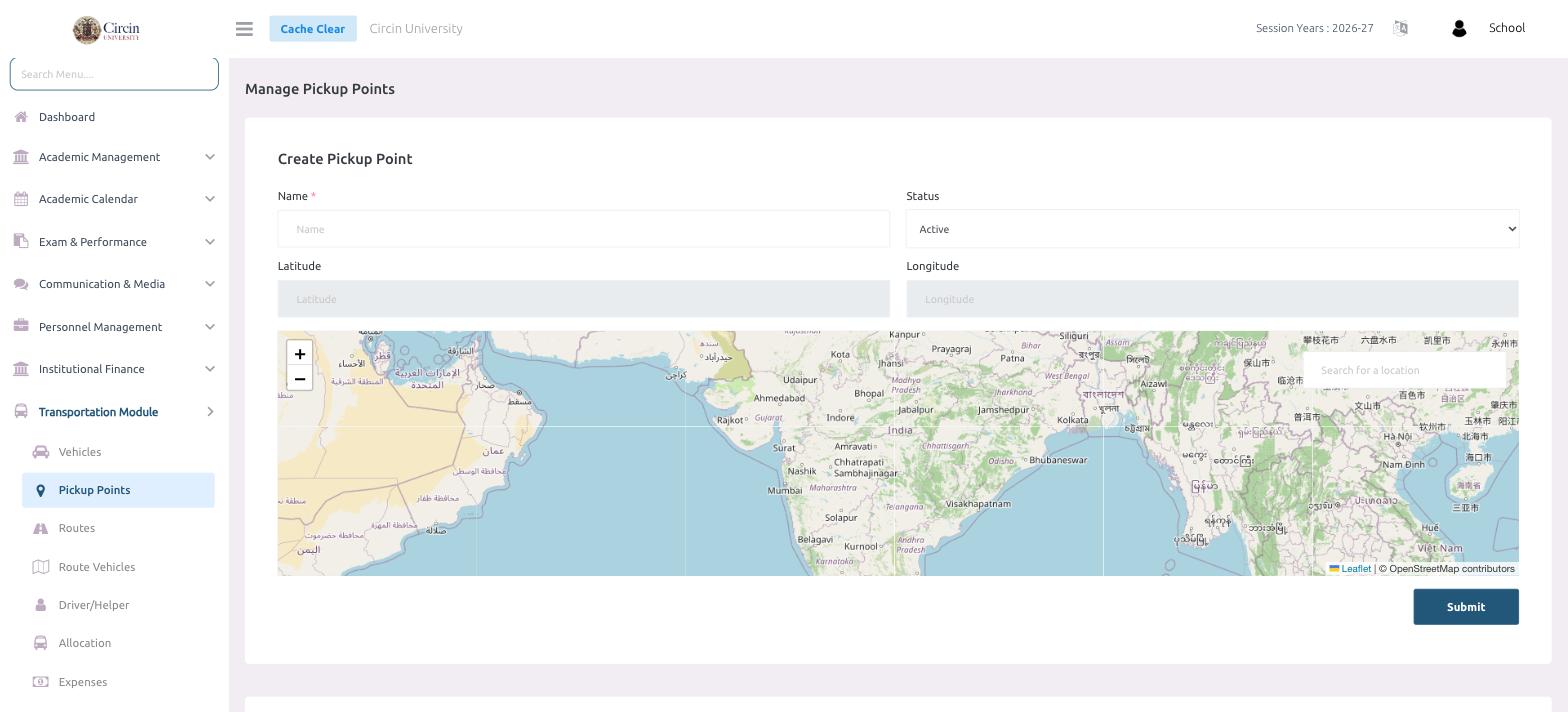
Pickup points are the stops your buses serve. Add each one with a Name and a location, and it becomes available to add to any route with its own pickup time.
How do I create a pickup point?
- In the left menu, open Transportation Module → Pickup Points.
- Under Create Pickup Point, enter the Name of the stop (for example, a neighbourhood or landmark).
- Set the Status to Active.
- Set the location: use Search for a location on the map, or type the Latitude and Longitude directly. Picking the point on the map fills these in for you.
- Click Submit.
Why add coordinates?
The map uses OpenStreetMap, so you can search for the exact spot instead of typing coordinates by hand. Storing the latitude and longitude keeps each stop precise, which helps drivers and parents recognise where the bus stops.