Expense categories
Set up expense categories like Transport, Events, or Supplies in Circin — name each one, then sort and report every expense you record against them.
Updated
School Admin
Expense categories are the buckets — Transport, Events, Supplies — that you record spending against. Creating one in Circin takes a name and an optional description.
How do I create an expense category?
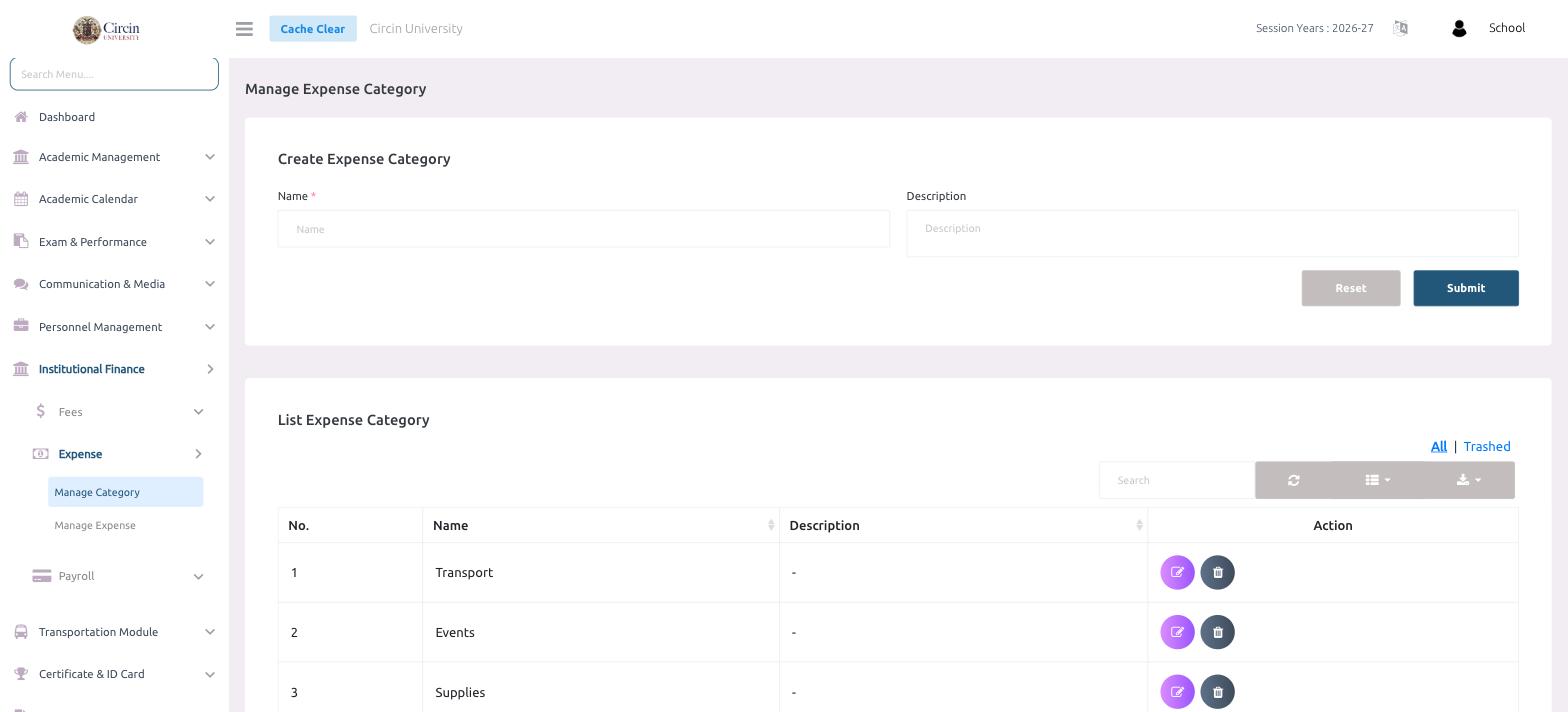
- In the left menu, open Institutional Finance → Expense → Manage Category.
- On the Create Expense Category panel, enter a Name (required, for example Transport).
- Optionally add a Description.
- Click Submit. Use Reset to clear the form.
Where do my categories appear?
Saved categories are listed under List Expense Category with a No., Name, Description, and an Action column to edit or delete each one. Switch between the All and Trashed tabs, or use the Search box to find a category.
Tips
- Set up your categories before recording expenses — each expense must be assigned to one.
- Deleting a category moves it to Trashed rather than removing it permanently.