Class subjects
Manage the core and elective subjects assigned to each class in Circin, filtered by medium, from the Manage Class Subject page.
Updated
The Class Subject page in Circin is where you see and manage the subjects each class studies — its Core Subjects and any Elective Subjects — organised by medium. This is how a class like Class 10 CBSE (Morning) gets its full subject list.
How do I view and edit class subjects?
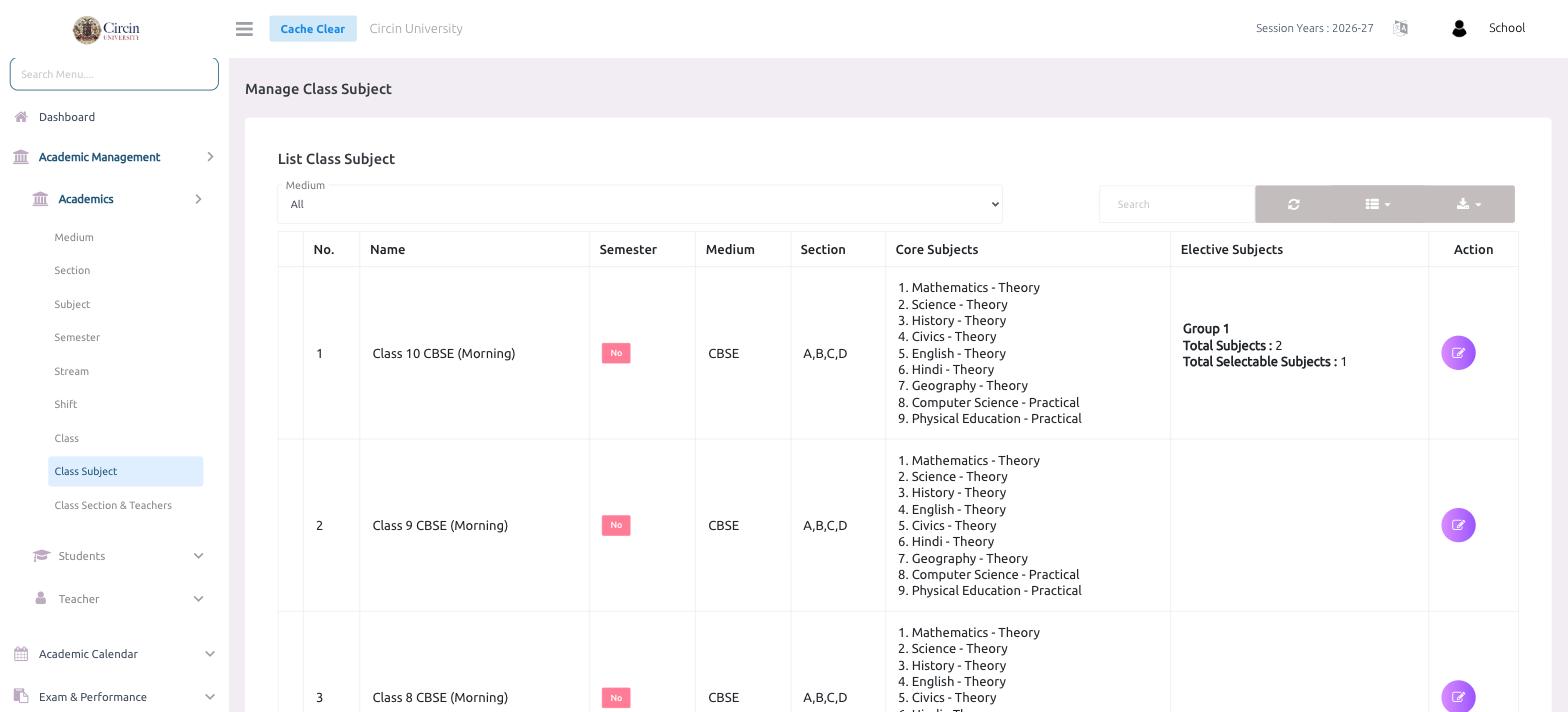
- In the left menu, open Academic Management → Academics → Class Subject. The page is titled Manage Class Subject.
- Use the Medium dropdown (default All) to filter the list, or the Search box to find a class.
- The List Class Subject table shows each class with columns for No., Name, Semester, Medium, Section, Core Subjects, Elective Subjects and Action.
- Click the Action (edit) icon on a row to change that class's subjects.
How are core and elective subjects shown?
The Core Subjects column lists each subject with its type — for example Mathematics - Theory, Computer Science - Practical, Physical Education - Practical. The Elective Subjects column shows any elective group with its Total Subjects and Total Selectable Subjects counts (for instance, Group 1 with Total Subjects 2 and Total Selectable Subjects 1), meaning students pick a set number from that group.