Student certificates
Generate student certificates in Circin by picking a template, filtering the student list by class and session, and selecting the students.
Updated
School Admin
Once you have a student certificate template, this page turns it into real certificates. Pick the Certificate Template, narrow the student list, tick the students you want, and generate.
How do I generate a student certificate?
- In the left menu, open Certificate & ID Card → Student Certificate.
- On the Certificate Generate page, choose the Certificate Template from Select Certificate Template.
- Narrow the list with the Class Section, Session Year and Exam filters, or use the Search box.
- In the List Students table, tick the checkbox next to each student you want a certificate for (use the header checkbox to select all).
- Generate the certificates for the selected students.
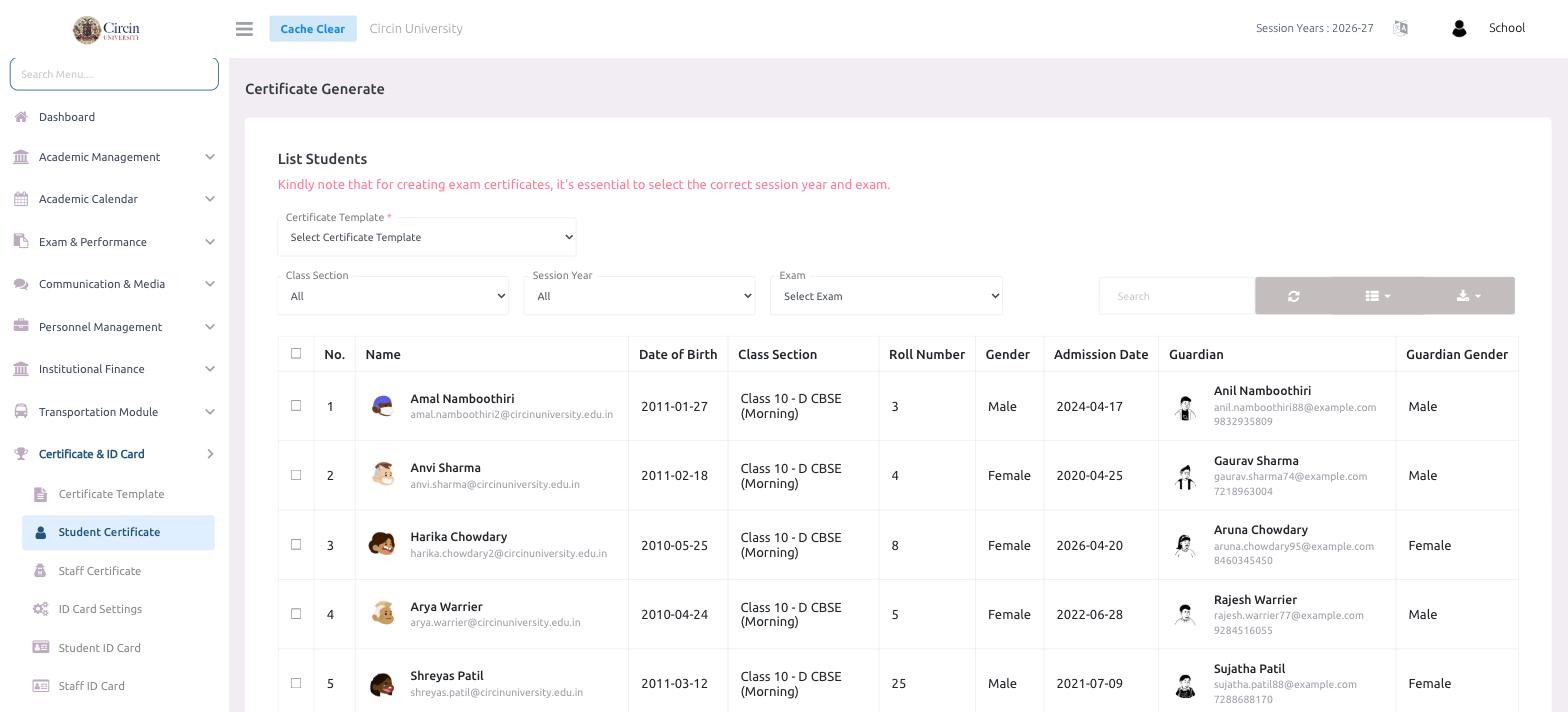
The table lists each student with No., Name, Date of Birth, Class Section, Roll Number, Gender, Admission Date, Guardian and Guardian Gender.
Note: For exam certificates, select the correct Session Year and Exam first — the page reminds you that this is essential so the certificate reflects the right results.