Find or create a teaching session in Circin Maestro
Browse a subject's sessions by today, upcoming and past, narrow them by date or lesson, and add an extra session outside the timetable.
Updated
Teacher
A session is one period of one subject: what you recorded, what was generated from it, and what is linked to it. The Sessions tab is the timeline of them, projected from your timetable.
How do I find a session?
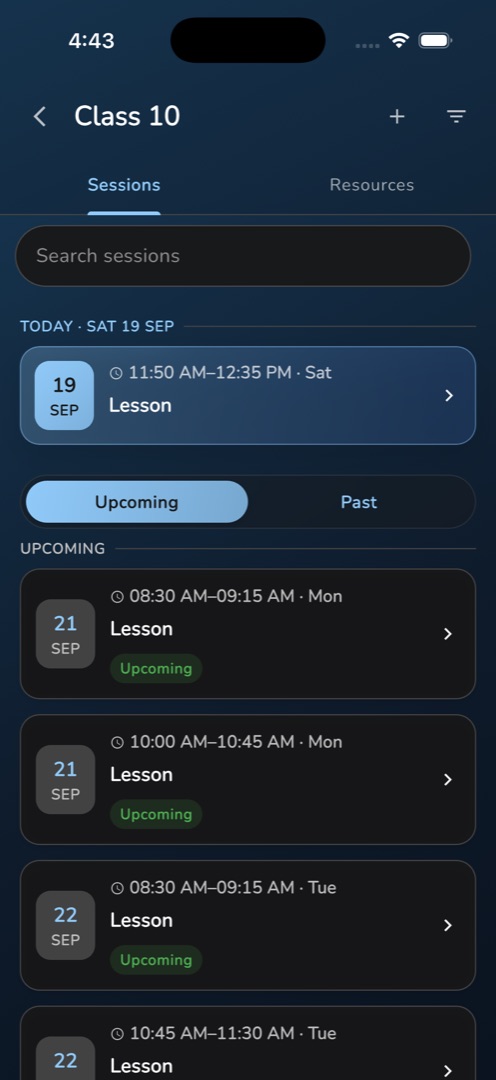
- Open the class and subject from Home → My classes. The Sessions tab is already open.
- A Search sessions field sits at the top, then a TODAY · Tue 3 Jun header with today's class as a highlighted card — or No class today.
- Below it, the toggle Upcoming | Past starts on Upcoming.
- Each row carries the date, the time, the session title, a lesson or topic chip, and status chips: rec for a recording, materials for generated content, Quiz, assignment, or Upcoming.
- Tap a row to open the session: its header and control button, the study-material tiles, and the lesson, assignment and exam cards.
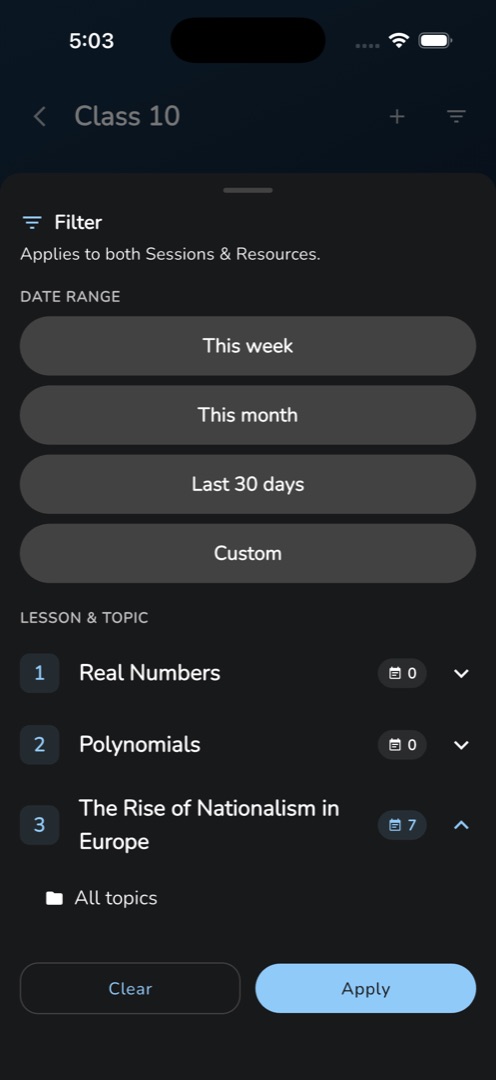
- To narrow the list, tap the funnel. The Filter sheet applies to both tabs: pick a DATE RANGE chip — This week, This month, Last 30 days or Custom — and a lesson or topic under LESSON & TOPIC, then tap Apply. Active filters show as removable chips under the title.
How do I add a session that is not on the timetable?
Tap + in the header. Manage Session opens on Regular Class, listing your timetable slots under TODAY, UPCOMING and PAST — tap one to jump to it. Switch to Extra Session, set Date, Start Time and End Time, and tap Create Extra Session. The app opens the new session immediately.
Rules and gotchas
- The browse list covers 6 months back to 3 months ahead, and is built from your timetable. With no slot for this class and subject you get No class timetable found / Contact admin to create timetable — the admin owns the timetable.
- An extra session has no timetable slot, so it does not come back into the browse list afterwards. Finish with it while it is open.
- Nothing is written to the server when you create one. The session is saved when you tap Start session on it.
- Search matches the title, the lesson or topic and the date, and hides the Today card while active.