Record a class in Circin Maestro
Start a session to record the lesson on your phone, so the transcript can be turned into a summary, flashcards and quiz questions afterwards.
Updated
Teacher
Recording a session is what gives the AI something to work from. Speech recognition runs on the phone itself, and the transcript is held on the device until study materials have been generated from it.
How do I record a lesson?
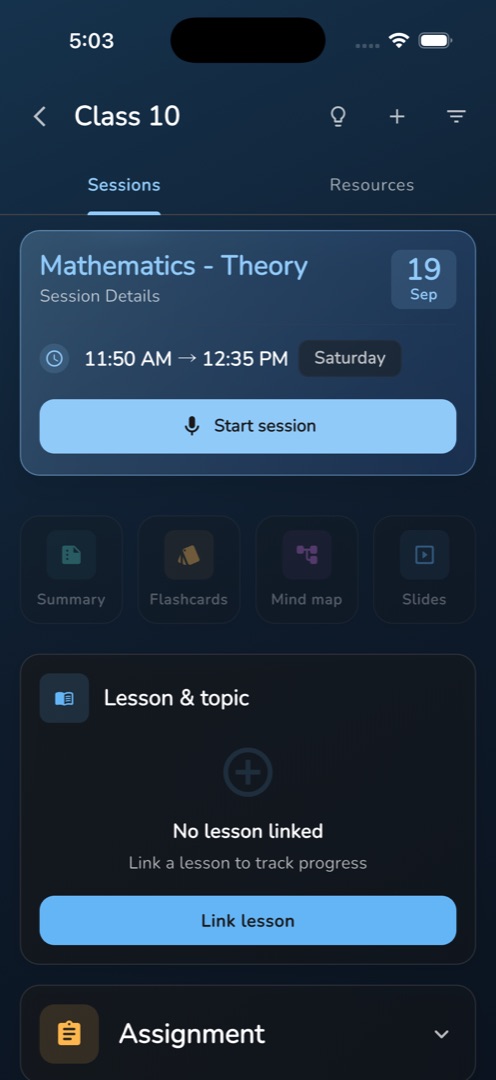
- Open the session you are about to teach from the Sessions tab. The header card carries a full-width Start session button with a microphone icon.
- Tap it. The first time, the dialog Voice Recognition Setup explains that the voice model has to be downloaded once, and shows its name and size — tap Download Now and wait for Downloading... (42%) and Extracting files... This may take a moment.
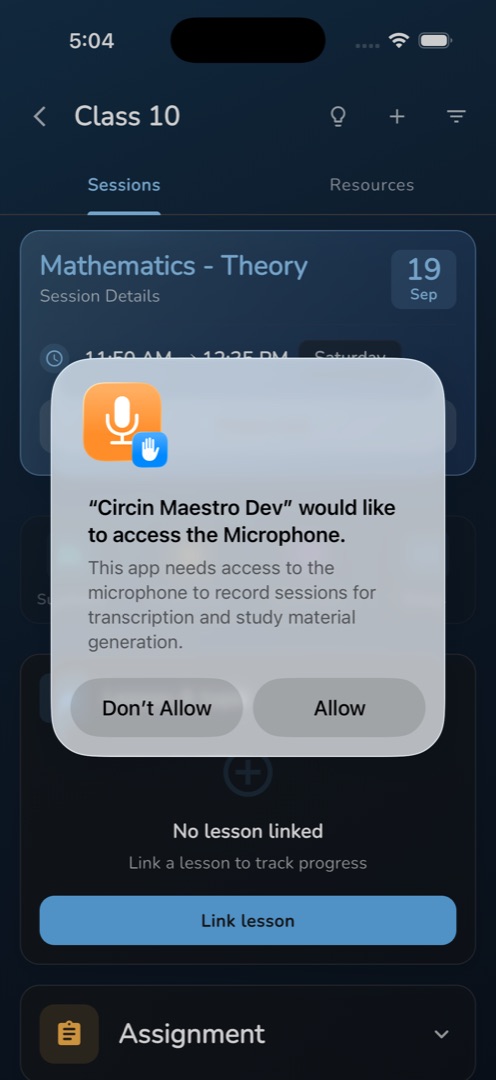
- Allow the microphone when the phone asks.
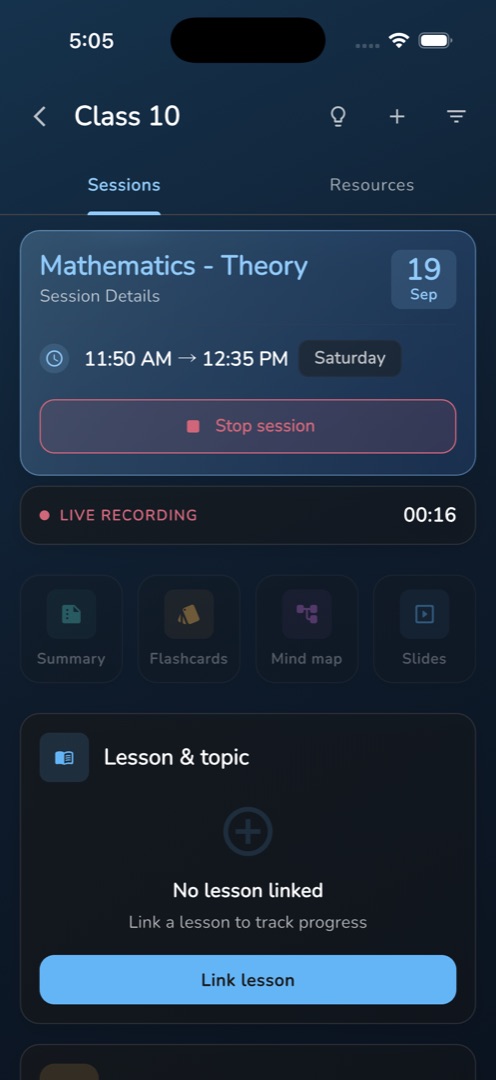
- Recording starts. The button turns red and reads Stop session, and a strip below shows a red dot, LIVE RECORDING and a running timer.
- Teach the class. Tap Stop session at the end; the content picker opens by itself.
Rules and gotchas
- Turn on the bulb in the subject screen's header first if you want the screen to stay awake for the whole period.
- Only one session can record at a time. Others show Another session is recording with Start session disabled.
- Cancelling the model download, or denying the microphone, stops the recording without a message — the button simply returns to Start session.
- Once a session has a transcript, a summary or a saved draft, Start session is replaced by the generation row. Re-recording the same session is not offered.
- Where the session did not exist on the server yet, this tap creates it. A failure reads Could not create session: <error>.
The board can record the same lesson instead — see Record the lesson. Next: generate study materials.