Take attendance in Circin Maestro
Mark your class present or absent on your phone: pick the class and date, tap P or A for every student, and submit. Partial registers cannot be saved.
Updated
Also on Admin Panel: Take attendance Circin Canvas: Take attendance from Circin Canvas
You can mark a full day's attendance from your phone in the classroom. Circin Maestro opens the register on today's date and your first class-teacher class, and saves to the same register the admin panel reads.
How do I mark attendance?
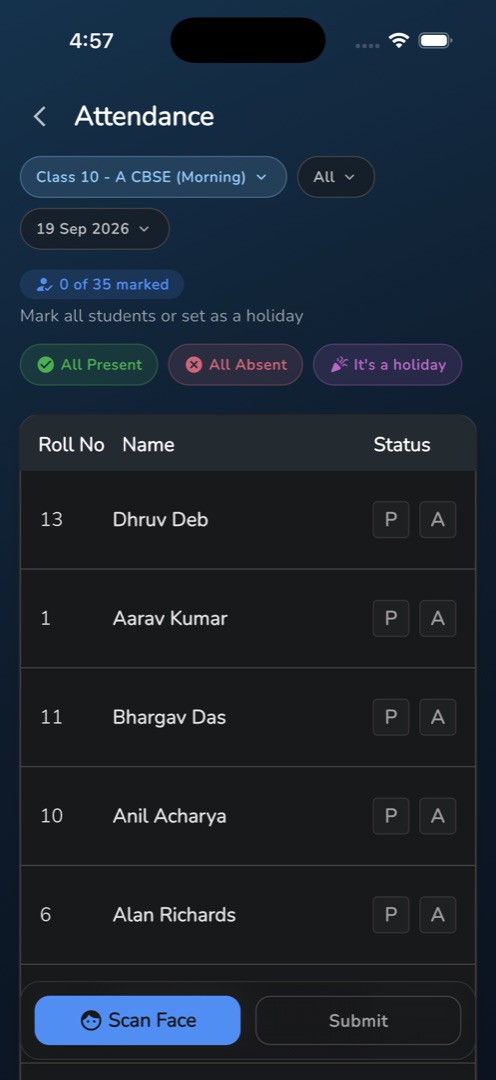
- On Home, tap Attendance in the Workspace group. The screen is titled Attendance and carries three filter pills: the class, All, and today's date.
- Tap the class pill to switch class. The sheet titled Class lists only the classes you are class teacher of.
- A blue chip reads 0 of {total} marked, with Mark all students or set as a holiday beneath it and three pills — All Present, All Absent, It's a holiday.
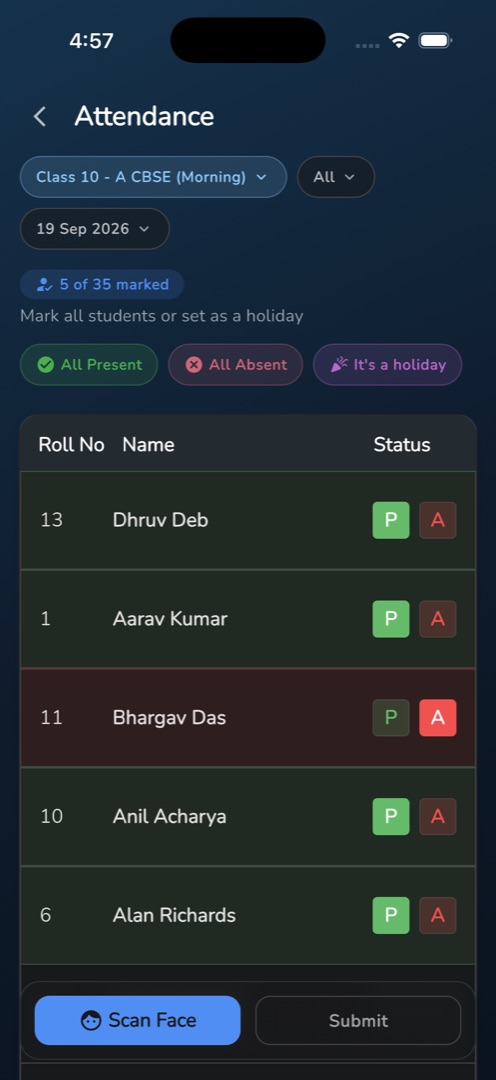
- In the roster below (Roll No, Name, Status), tap P for present or A for absent on each row. A present row tints green, an absent row red. Tapping the same letter again clears the student.
- All Present or All Absent sets everyone at once, so you can then fix the exceptions.
- Tap Submit. It stays greyed out until every student has a status, and the chip turns green once the whole roster is marked.
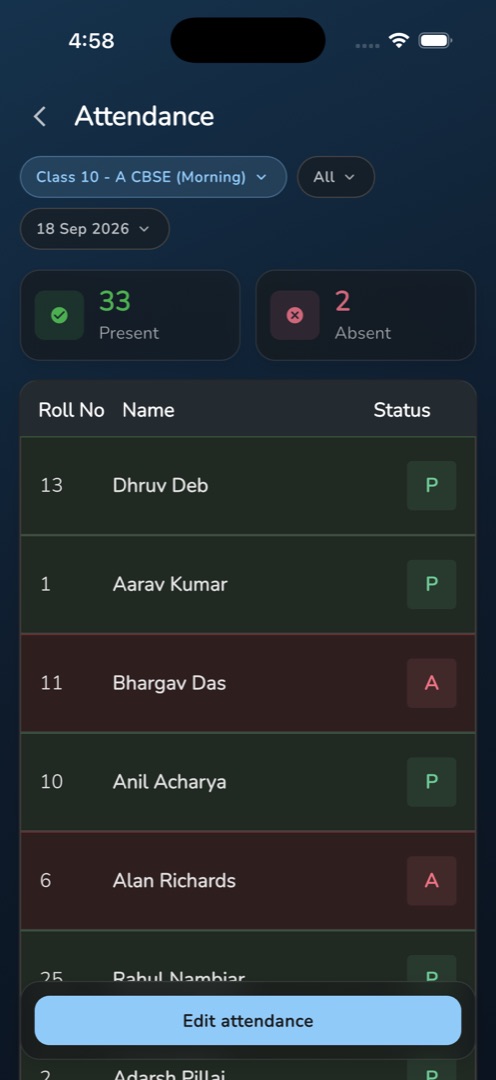
- A snackbar confirms Attendance Submitted Successfully and the day reloads as a read-only register with Present and Absent count tiles.
Rules and gotchas
- A partial register cannot be saved at all. Submit is untappable until the whole roster has a status.
- Absent notifications always go out on save. There is no opt-out in the app.
- The date picker allows today −30 days to today +30 days, nothing older.
- Changing the class or the date discards unsaved marks. Backing out raises Discard changes? with Cancel and Yes.
- Subject teachers who are not class teachers see No class section found contact admin — marking belongs to the class teacher.
Instead of tapping every row, you can have the class scan their faces and mark only who the scan missed.