Correct a day, or mark it a holiday, in Circin Maestro
Reopen a submitted register with Edit attendance and change who was present, or excuse the whole class for a date with the Holiday pill.
Updated
Class Teacher
A submitted day is not locked. Circin Maestro lets a class teacher reopen any date the picker allows and change it, and lets an unmarked date be excused as a holiday for that class instead.
How do I change a day I already submitted?
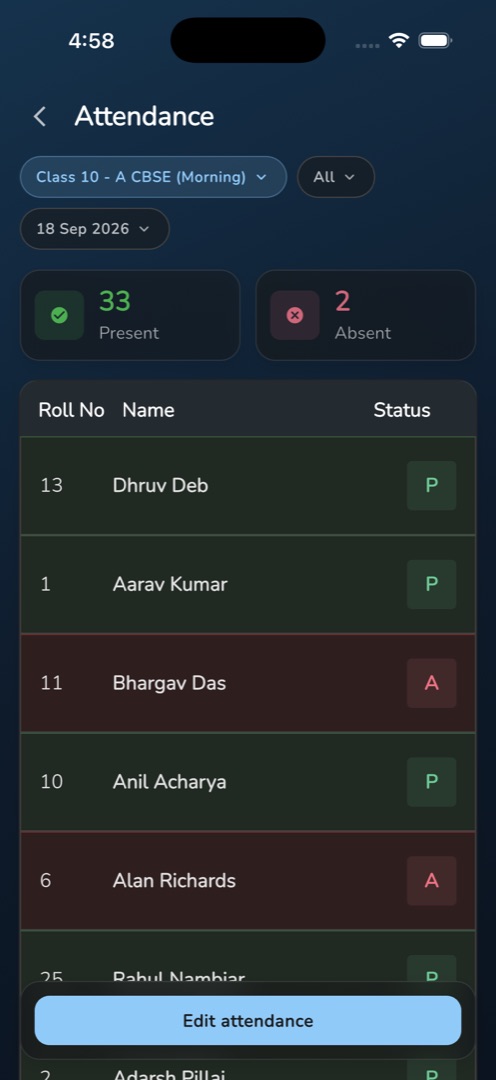
- Open Attendance and set the class pill and the date pill to the register you want to change. A saved day shows read-only: Present and Absent count tiles over the roster, each student carrying a P, A or - badge.
- Tap Edit attendance in the bottom bar.
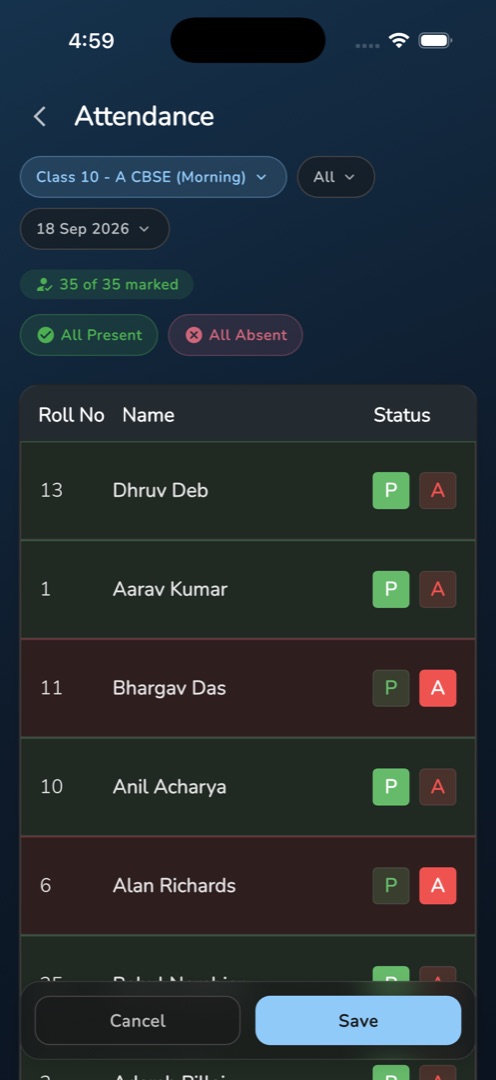
- The register becomes editable and is pre-filled with what was stored, so an untouched save changes nothing.
- Change the students you need with the P / A toggles.
- Tap Save — or Cancel to throw the changes away and go back to the read-only view. The snackbar reads Attendance Submitted Successfully.
How do I mark a date as a holiday?
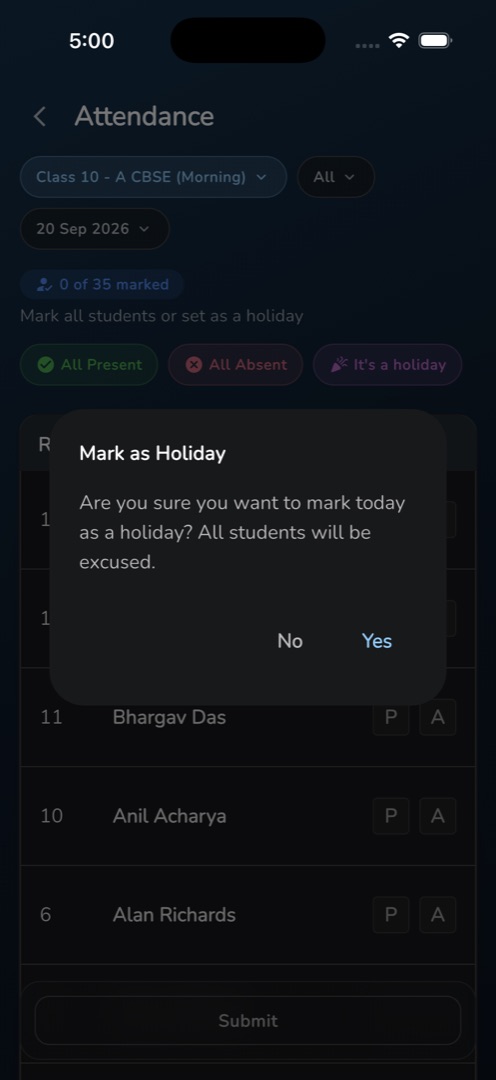
With the class and date selected and the register still unmarked, tap the purple It's a holiday pill. The dialog Mark as Holiday asks Are you sure you want to mark today as a holiday? All students will be excused. Tap Yes. No per-student status is sent at all.
Rules and gotchas
- The It's a holiday pill is hidden while you are editing a stored register, because converting it would discard every status.
- The dialog always says "mark today as a holiday" even when another date is selected. It applies to the selected date.
- This is a holiday for that class section on that date. The school's holiday calendar is managed in the admin panel — see Holidays.
- A date already marked a holiday shows the It's a holiday card with its title and description, and still offers Edit attendance — that is how you undo a holiday and mark a real register.
- There is no edit window: any date from today −30 to today +30 can be edited, repeatedly.
- Every save re-sends absent notifications.