Correct or withdraw an announcement in Circin Maestro
Fix the wording, change who an announcement went to, or delete it outright from the Manage Announcement list in Circin Maestro.
Updated
Staff
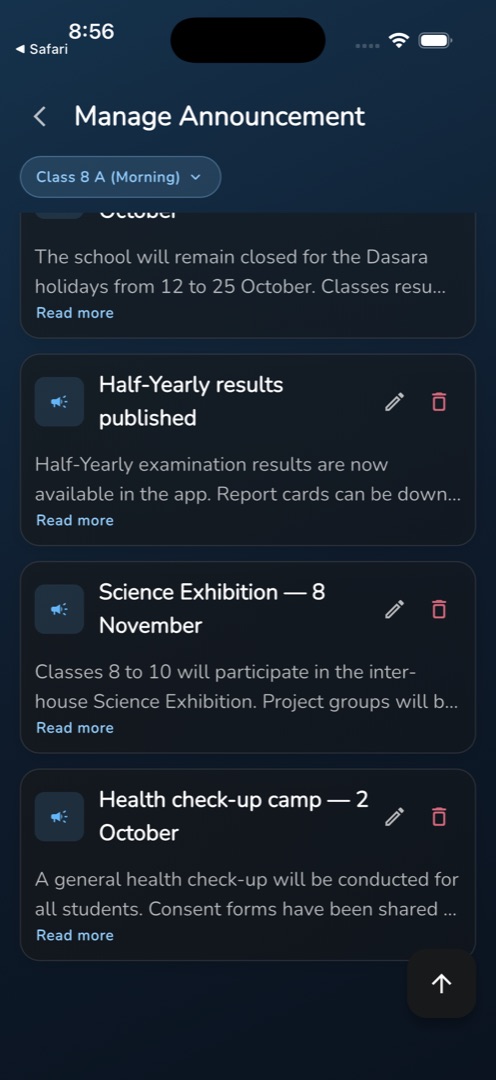
A sent announcement can still be corrected or pulled. Both actions sit on the card itself in Manage → People & comms → Manage Announcement: a pencil to edit, a bin to withdraw.
How do I correct one?
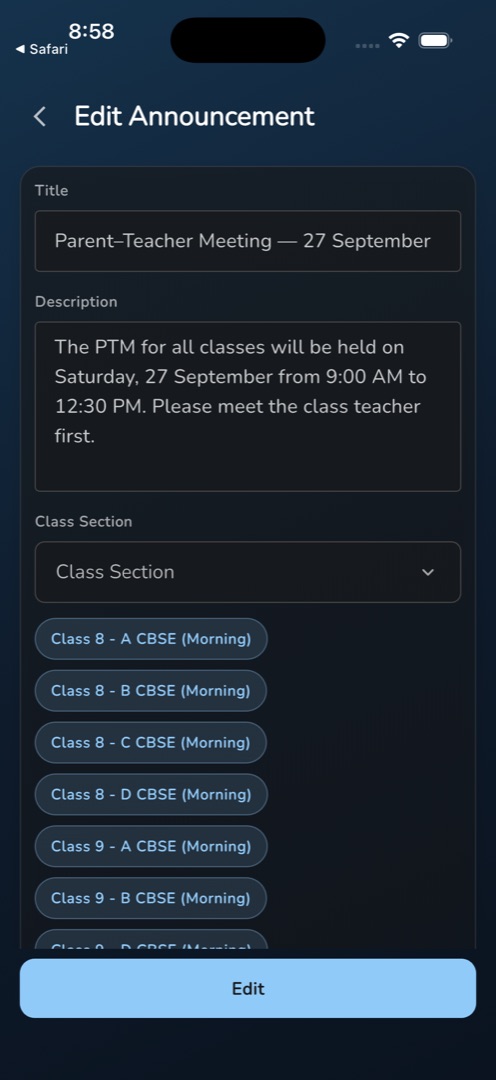
- Find the announcement in the list and tap its pencil icon. Edit Announcement opens with Title and Description already filled.
- Under Class Section, tap the picker row. The sections it already went to are pre-ticked — adjust them there. Chosen sections show as chips, but you cannot remove a chip on this screen; change it in the sheet.
- Existing attachments are listed under Files with a delete icon each. Deleting one takes effect immediately, before you save. Upload file adds more.
- Tap the bottom button — it reads Edit, not Submit. The screen closes and confirms Announcement updated successfully.
How do I withdraw one?
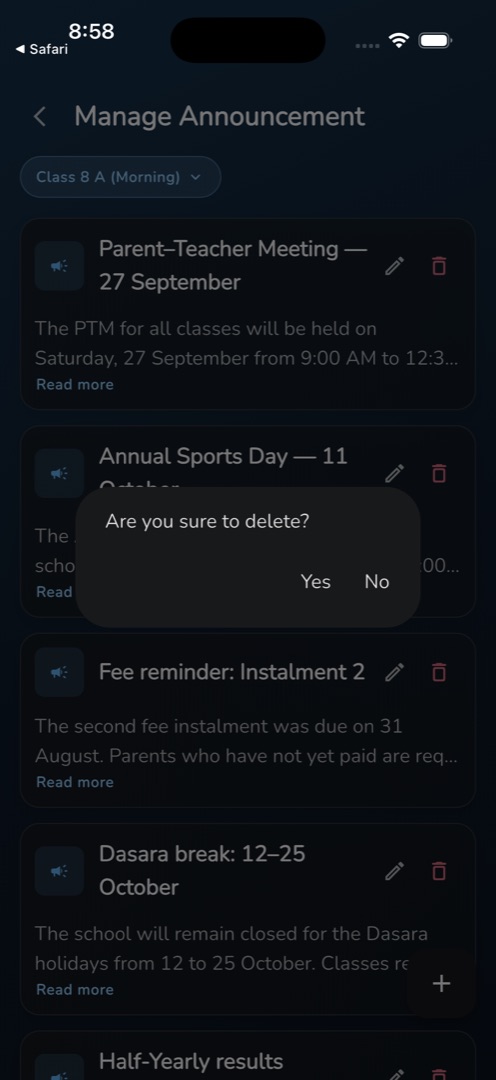
- Tap the bin icon on the card.
- A dialog asks Are you sure to delete? with Yes and No.
- Tap Yes. The card disappears and you get Announcement deleted successfully. While the delete runs the dialog shows a spinner and cannot be dismissed.
Rules and gotchas
- Check the class chips before you tap Edit. When an announcement comes back without a class list, the screen treats that as "it went to everyone" and arrives with every section pre-selected. Saving in that state re-sends it far wider than the original.
- The class picker sheet on this screen is headed Title rather than Class Section. It is a mislabelled header; the list inside is class sections.
- The same checks apply as when sending: empty title gives Please enter title, no class gives Please select at least one class.
- The pencil and bin are hidden without the announcement-edit and announcement-delete permissions.
- Back is blocked while a save is in flight.
- There is no edit history and no notice to recipients that something changed.