Write a quiz question in Circin Maestro
Add a multiple-choice or true/false question to the question bank from your phone, with a maths keyboard for expressions and tags you can search on.
Updated
Teacher
Staff
Questions written in Circin Maestro go into the Quiz Zone bank, which is what the quiz builder draws from. You can write one between periods; it takes a category, the question, its options and the correct letter.
How do I write a multiple-choice question?
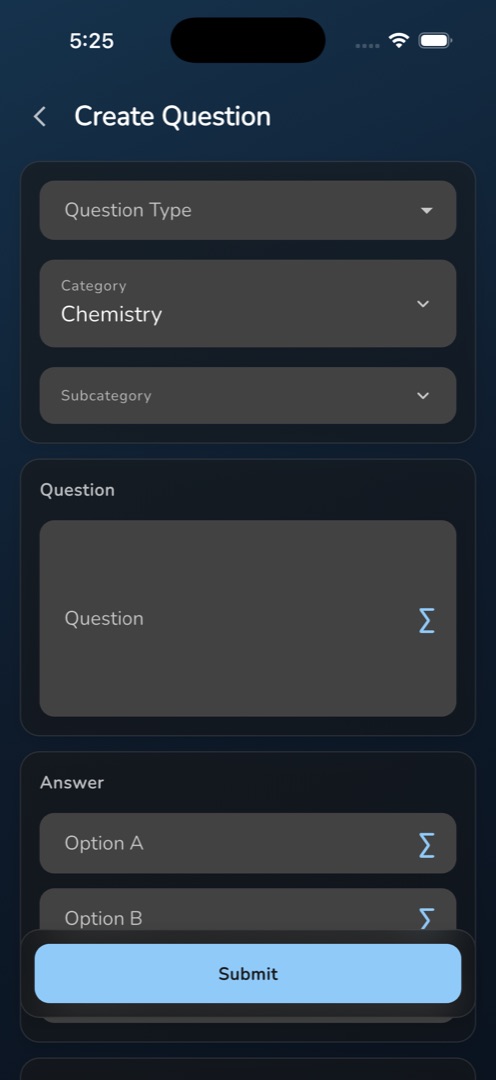
- Manage → Curriculum → Create Questions. The header reads Create Question.
- Open Question Type and choose Multiple Choice. It starts empty — there is no default.
- Tap Category and pick from the sheet. The first category is usually filled in for you already. Then tap Subcategory, whose first row is always All Subcategories — re-pick it whenever you change the category, as it blanks itself.
- Type the question in the Question field, hinted Please enter a question.
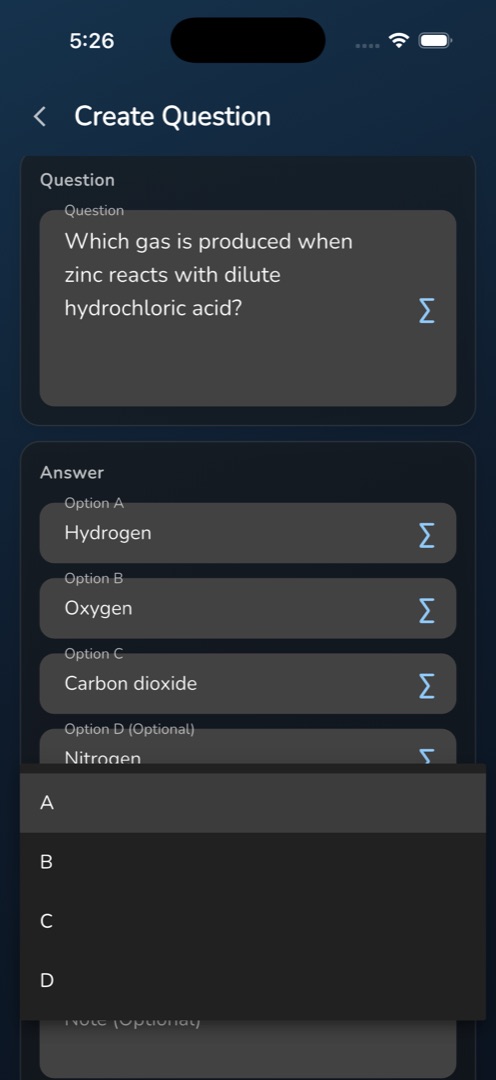
- Fill Option A, Option B, Option C and, if you want a fourth, Option D (Optional). A, B and C are required.
- Open Answer and pick the correct letter. Only letters whose option has text are listed.
- Optionally add a Note (Optional), an image with Upload image, and Tags (comma separated). Is Private is off, so the question is shareable unless you turn it on.
- Tap Submit; the snackbar reads Create Question Success.
How do I write a true/false question, or add maths?
Choose True or False in Question Type and options C and D disappear. Type the two choices yourself into Option A and Option B — the app does not fill in the words for you — then pick the answer.
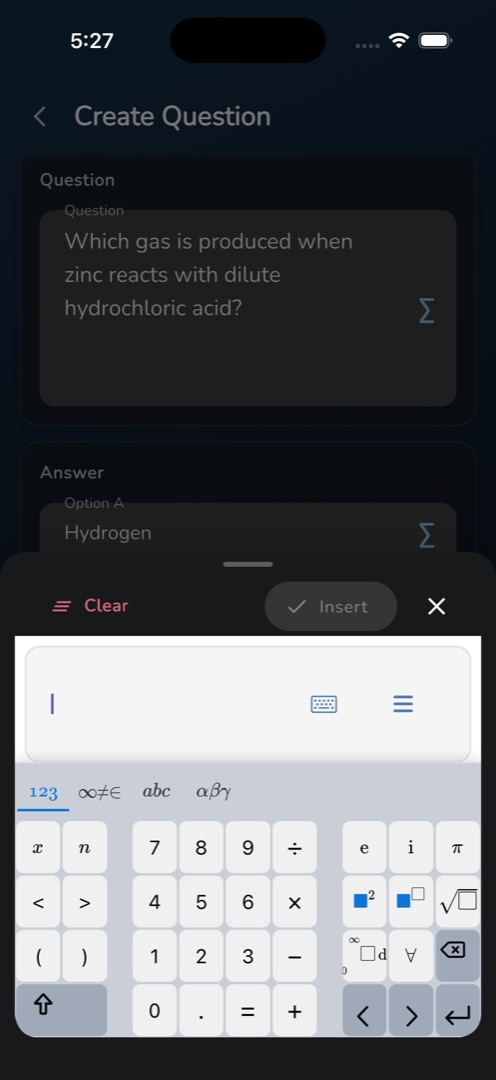
Every question and option field carries a ∑ button. Tap it, build the expression, and tap Insert; it appears in the field as a rendered chip. Tap the chip later to edit it.
Rules and gotchas
- Type tags without spaces. A space is turned into a comma on save, so "algebra linear equations" is stored as three tags.
- Switching the type after picking an answer can blank the Answer field. Re-pick it, or you get Please select an answer.
- A dollar sign next to a non-space starts inline maths, so write prices as $ 5 or $30 rather than $5x$.
- There is no difficulty setting in the app. The admin panel's online exam questions have one; Circin Maestro does not.
- Nothing in the question bank can be deleted from the app.