See your timetable in Circin Maestro
Read your week in My Timetable, or open the calendar to see any day's periods with the number of classes per day and jump into a session.
Updated
Circin Maestro shows your own periods two ways: a week view for "what am I teaching on Thursday", and a calendar for any date, including the button that takes you into that period's session.
How do I read my week?
- On Home, in the Today's Timetable group, tap View More where it is offered. The My Timetable screen opens under the line Your weekly schedule.
- A strip of seven day chips — Mon to Sun — sits under the title with today already selected.
- Tap any chip. The list redraws instantly; the whole week is already loaded, so there is no wait.
- Each period is a card in a timeline: start and end times on the left rail, then the subject, an optional subject-type chip, and the class section. A break shows only its note text.
- Tap a teaching card to open that class's subject screen, scoped to the coming date for the weekday you selected.
How do I see a particular date?
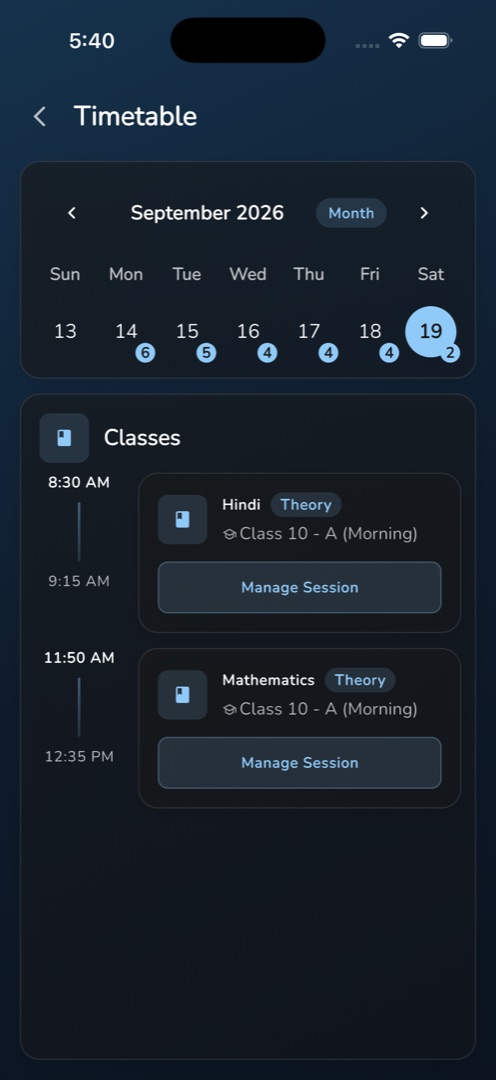
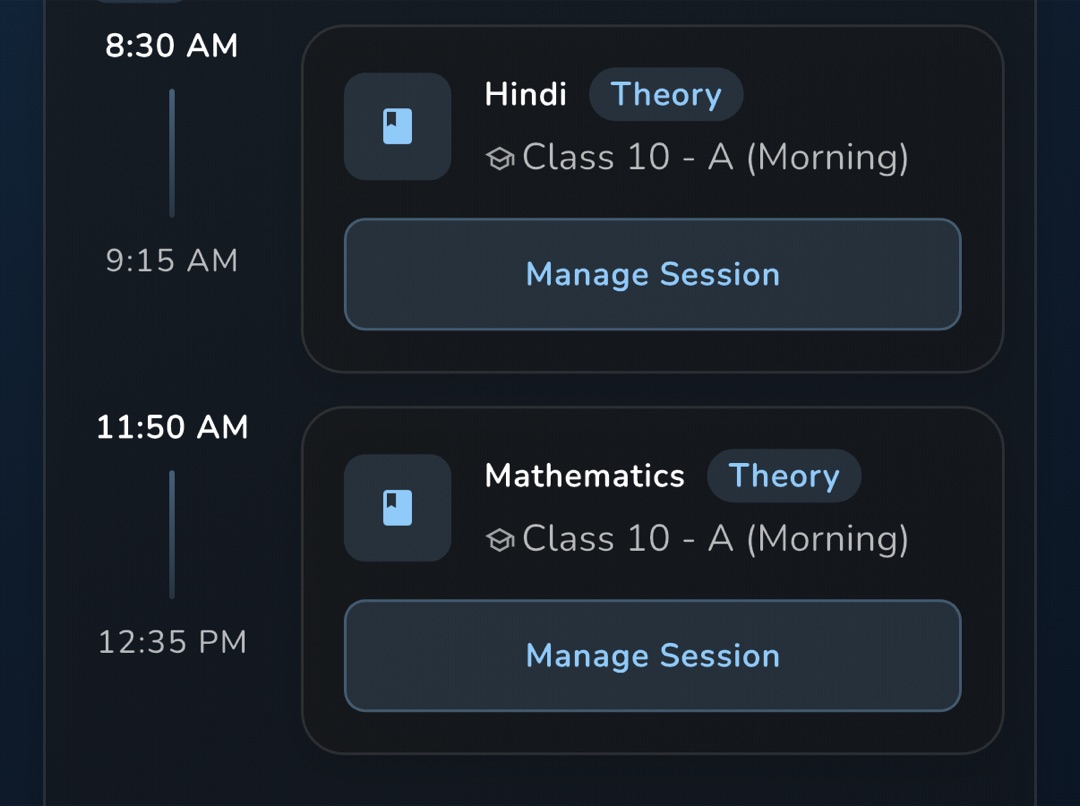
Tap the calendar icon in the Home top bar. The Timetable screen opens on a week strip — tap the format button in its header to expand to a month — with today selected. Days that have classes carry a badge with the number of periods; a holiday shows a celebration glyph. Under the calendar, the Classes card lists that day's periods, and each one carries a Manage Session button that opens the subject screen for the date you picked.
Rules and gotchas
- The Today's Timetable group only offers View More when there is more than the hero card to show; otherwise the calendar icon in the Home top bar is your way in.
- Both screens are read-only. Nobody creates or moves a period in the app — see Look up a class or a colleague's timetable for where authoring happens.
- The calendar is populated from 8 months back to 3 months ahead. Dates outside that window render empty.
- On a holiday date, teaching periods are hidden entirely, so a working Saturday declared a holiday looks empty.
- An empty day reads No class right now on Home, No time table found on My Timetable and No classes today on the calendar.
- There is no cached copy: with no connection you get the network error and a Retry.