Open a student's profile in Circin Maestro
See a student's admission details and call their guardian from the phone: the General tab, the Guardian tab, and a Call Now button on each.
Updated
Teacher
Staff
Also on Admin Panel: Student details
When a child is unwell or has not arrived, the profile screen gives you the number to ring without leaving the classroom.
How do I open a profile?
- From the Students list, tap a student card. Student Profile opens on the General tab; the other tab is Guardian.
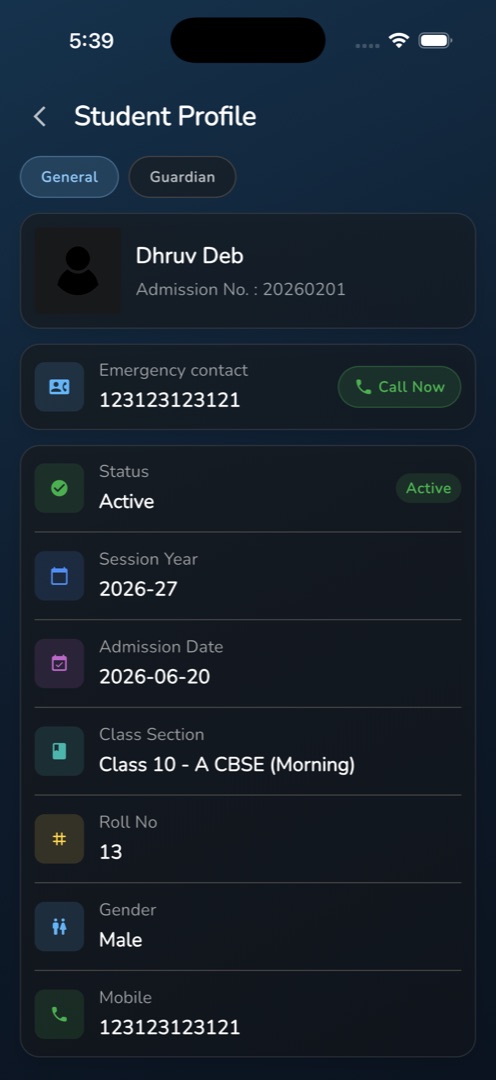
- General shows an identity card with the photo, name and Admission No., then an Emergency contact card with the student's mobile and a green Call Now button.
- Below that, a details card lists Status with an Active or Inactive pill, Session Year, Admission Date, Class Section, Roll No, Gender and Mobile.
- Tap Call Now to hand the number straight to the phone's dialler.
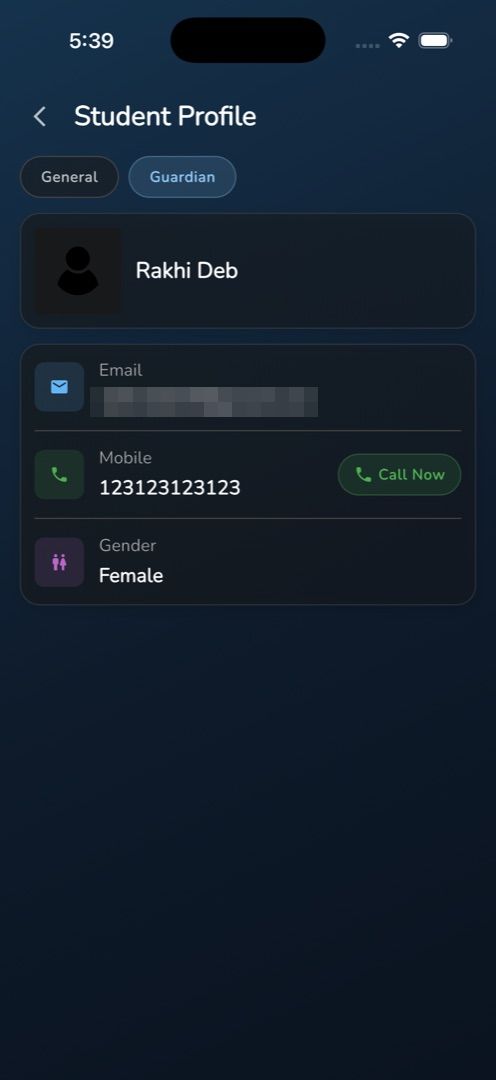
- Tap Guardian for the guardian's photo and name, their Email, their Mobile with its own Call Now, and Gender.
Rules and gotchas
- This screen shows what the roster row already carried — it makes no request of its own. Nothing refreshes here, and any field the list did not carry shows -.
- Session Year and Class Section mirror the filters that were active on the list, not fields stored on the student.
- Call Now is always tappable, even where the number is -, in which case the dialler receives a dash.
- There are no fee, attendance, exam or document tabs here, and nothing can be edited. Admission records, guardians and documents live in the admin panel — see Student details.
To reach the profile you first pick the class: see Find a student in Circin Maestro.