Check your leave balance in Circin Maestro
See how many leaves you have left, and whether each request you raised in Circin Maestro is Pending, Approved or Rejected.
Updated
Teacher
Class Teacher
Staff
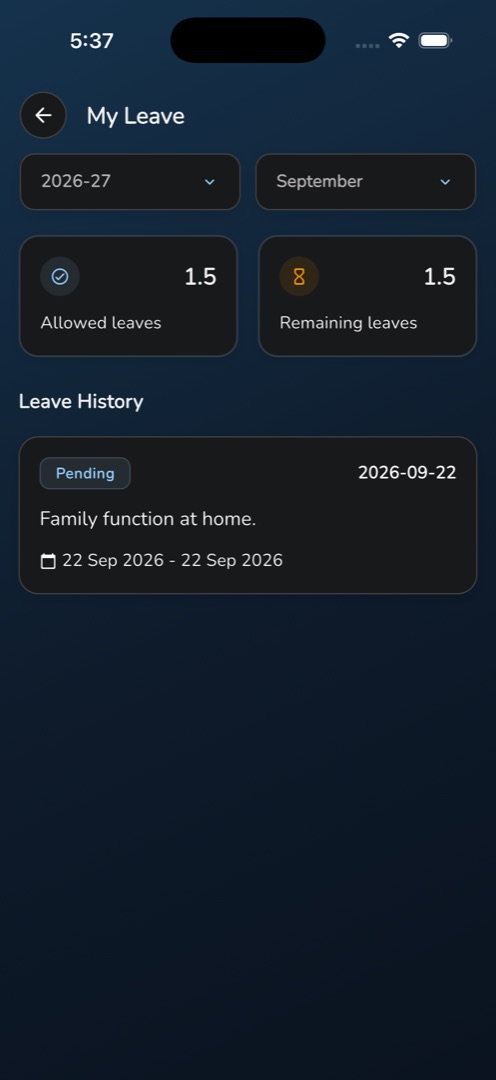
Profile → Leaves → My Leave is your own leave record: what you are allowed, what is left, and where each request has got to.
How do I check a request?
- Tap the Profile tab, then My Leave under Leaves.
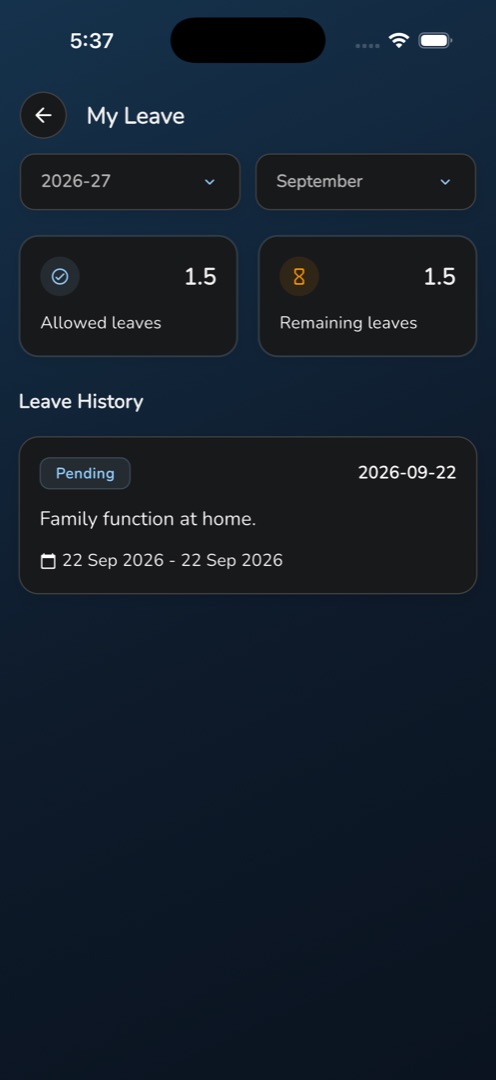
- Two filters sit under the title — the session year, which fills in with your school's default, and the month, pre-set to this month.
- Two cards show Allowed leaves and Remaining leaves, each to one decimal place.
- Under Leave History, every request for the chosen month appears as a card with a Pending, Approved or Rejected chip, its start date, the reason, and the full date range.
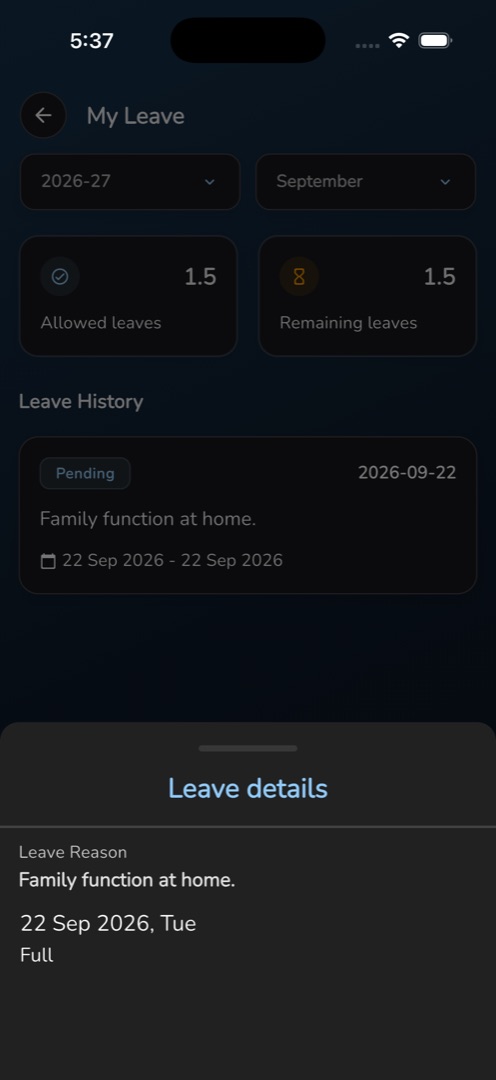
- Tap a card to open the Leave details sheet: the label Leave Reason with the full text, a View attachments link when you attached files, and one row per leave day showing the date and whether it was recorded as Full, First Half or Second Half.
- Change either filter to look at another month or year — both the list and the two cards reload.
Rules and gotchas
- There is no way to cancel or edit a request you have sent. No screen, sheet or menu in the app withdraws one. If you got a date wrong, ask your approver to reject it and raise a new one.
- Remaining leaves is allowed minus taken, floored at zero — an overdrawn balance reads 0.0 rather than a negative number.
- The list is scoped to the month filter, so a request that spans a month boundary appears under the month it starts in.
- Check with your office whether Allowed leaves is a monthly or a yearly figure. The screen does not say, and schools configure it differently.
- Nothing here is cached. Without a connection you get an error box and a retry, not your last-known balance.